
BookPilot Review 2026
Can This AI KDP Tool Really Simplify Book Publishing?
Publishing one book on Amazon KDP is not one job. It is a chain of jobs.
You research a niche, decide what people might buy, plan the book, write it, create or source illustrations, design a cover, format the interior, prepare the listing, and eventually get everything ready for Amazon. Even when AI helps with the writing, you can still end up bouncing between several tools just to finish one title.

That is the problem that made BookPilot interesting to me.
In this BookPilot Review, I am looking at an AI publishing platform from Venkatesh Kumar and Visves that attempts to put more of that KDP workflow under one roof. The demonstrated dashboard includes niche generation, ebook creation, illustrated-book creation, cover generation, editing, and a library for managing completed work. The wider offer also advertises additional publishing, optimization, marketing, and automation capabilities.
What caught my attention is not simply that BookPilot can generate text. There are plenty of tools that can do that. The interesting idea is reducing the handoffs between research, manuscript creation, illustrations, covers, editing, and publishing preparation.
The real question is whether BookPilot actually removes meaningful work or simply generates more material that still needs checking. I would never treat AI-generated books as “click once and collect royalties,” regardless of how the offer is marketed. Amazon still has rules, readers still expect useful books, and somebody still needs to make the publishing decisions.
So I am approaching BookPilot as a workflow tool rather than an automatic-income machine. Here is what it does, what the demonstrated workflow looks like, where the broader claims need some caution, and which version may make sense if you decide to try it.
Overview Of BookPilot

| Details | BookPilot |
|---|---|
| Product | BookPilot |
| Creators | Venkatesh Kumar & Visves |
| Product Type | AI-assisted Amazon KDP publishing platform |
| Launch Date | October 1, 2026 |
| Front-End Price | $14.99 at the supplied launch pricing |
| Coupon | BP4OFF – $4 off |
| Alternative Coupon | BPT30 – 30% off |
| Payment Model | One-time launch price according to the current offer |
| Commercial Rights | Advertised as included |
| Guarantee | 30-day money-back guarantee, subject to the vendor’s refund terms |
| Best Fit | KDP beginners, self-publishers, niche publishers, and marketers wanting a consolidated book-creation workflow |

One detail is worth emphasizing immediately: the sales material uses aggressive language around automated publishing and royalty income. I would separate that marketing from the functionality itself.
The demonstrated software is much easier to evaluate: there is a real workflow for researching a topic, generating a book outline and chapters, creating a cover, producing illustrated books, editing generated books, exporting work, and organizing creations in a library.
That is where I see the more credible value.
What Is BookPilot?
BookPilot is a cloud-based AI tool aimed at people who want to create books for Amazon KDP without assembling the entire production process manually.
Rather than behaving like a general AI chatbot where you continually create prompts and move the results elsewhere, BookPilot organizes book production into specific publishing tasks.

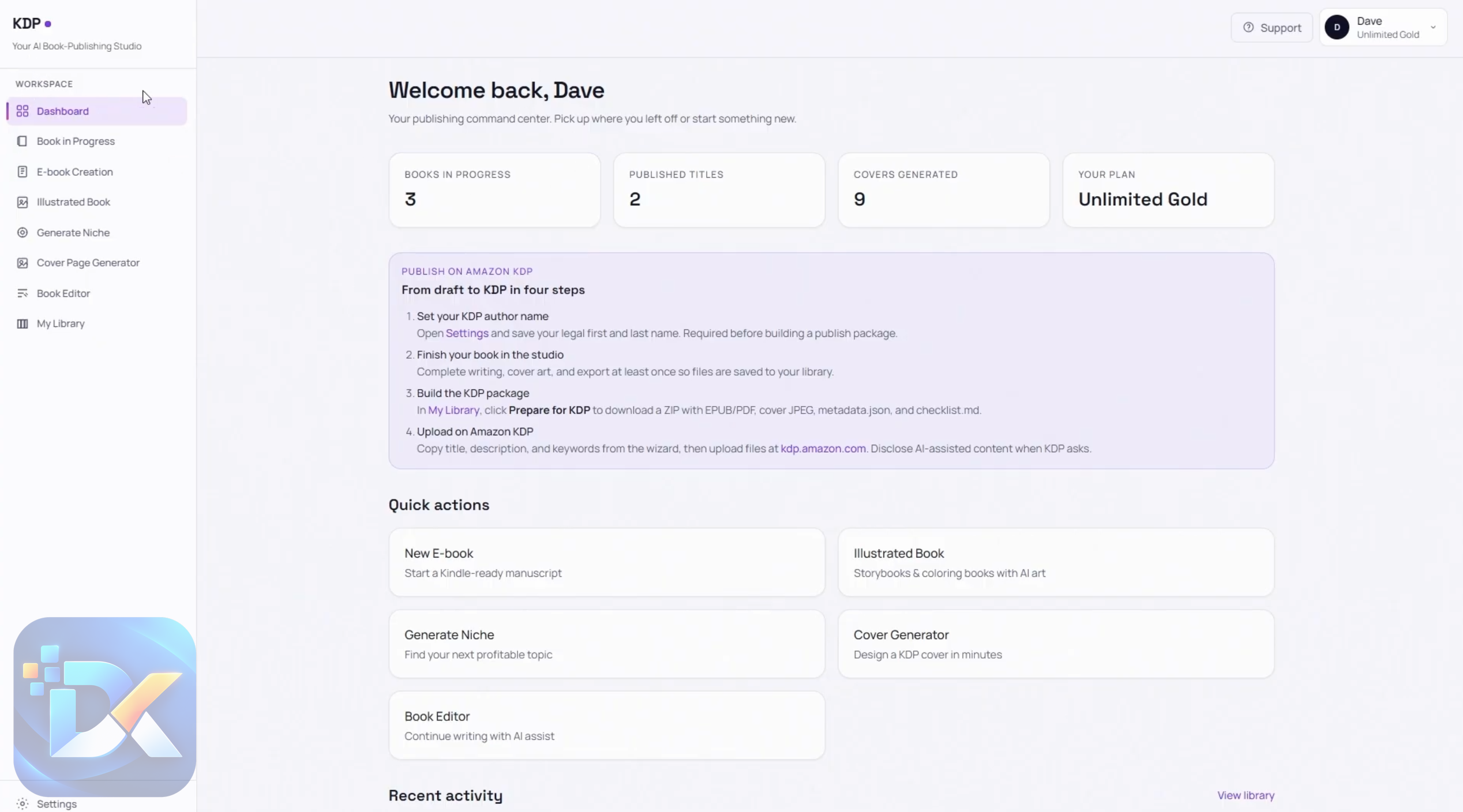
The demonstrated dashboard contains sections for Dashboard Overview, Book In Progress, Ebook Creation, Illustrated Book, Generate Niche, Cover Page Generator, Book Editor, My Library, and account settings.
That structure makes sense.
If I were building an ebook with a normal collection of AI tools, I might research in one place, outline and write in another, generate graphics somewhere else, design the cover in another application, and finally move everything into an editor.
BookPilot’s basic proposition is to shorten that chain.
The vendor goes considerably further and advertises fifteen capabilities covering niche research, AI book creation, illustrations, covers, formatting, multilingual publishing, metadata optimization, automated publishing, bulk production, royalty tracking, marketing, autonomous publishing, cloud access, a beginner-oriented dashboard, and commercial rights.
I would not give every one of those claims equal weight. The walkthrough directly demonstrates the core creation environment much more clearly than some of the broader automation claims. That distinction matters if autonomous publishing is your main reason for buying.
Who’s Behind BookPilot?

BookPilot is presented as a product from Venkatesh Kumar and Visves.
The supplied product information associates Venkatesh with previous digital products including Flowy, Clonely AI, AI Puzzle Maker, WP ProHost, AI Vora, ClawMate AI, and AI Lead Gen.
For me, creator history is useful context, but it is never a substitute for judging the current software. A vendor can have ten previous launches and the eleventh still has to stand on its own.
With BookPilot, I would focus primarily on whether the creation workflow fits the kind of KDP books you intend to publish and whether the generated assets meet your standards after review.
The Features Of BookPilot
BookPilot is advertised around fifteen feature areas, but dumping fifteen marketing descriptions onto the page would not tell you much. I find it more useful to look at where those tools fit into an actual publishing job.
Niche & Keyword Research Engine
Choosing a book idea is often harder than generating the manuscript.
BookPilot includes a niche-generation area, and the walkthrough shows the user entering a topic and using the tool to generate niche ideas without doing the entire research process manually.
The wider feature description says its research system can identify keywords, niches, categories, trends, seasonal opportunities, competitors, demand scores, and potential income.
I would treat those more specific market-data promises as vendor claims unless you can validate the underlying data yourself.
This is one area where I would deliberately slow down. AI can give you ideas quickly. That does not automatically mean those ideas have real Amazon demand or weak competition.
Use the research output as a shortlist, not unquestionable market intelligence.
AI Book Creator Suite
This is closer to BookPilot‘s core value.
In the demonstrated ebook workflow, you enter information such as the topic, title, and target audience. You then move into the outline stage, provide the required outline information, create a cover, and continue to the writing stage where AI generates the chapters. The completed ebook can then be exported.
The vendor says the broader creator can handle low-, medium-, and high-content projects including journals, planners, puzzles, activity books, children’s books, workbooks, recipe books, educational material, stories, and self-help books.
The workflow is attractive because the book remains a project rather than a pile of disconnected AI conversations.
But I would still read every chapter.
AI generating an entire manuscript faster does not eliminate factual checking, repetition, weak prose, unsuitable advice, copyright concerns, or simple nonsense. It changes where you spend your time: less time producing a first draft, more time reviewing what was produced.
AI Illustration & Artwork Generator
Illustrated books create another layer of work because the text and visuals need to agree with each other.
BookPilot includes a dedicated Illustrated Book workflow. The demo describes a similar sequence to ebook creation, covering the book type, pages, cover, illustrations, and export.
The vendor also advertises coloring pages, activity graphics, children’s illustrations, themed artwork, multiple styles, and consistent characters and scenes.
That last point is one I would test carefully during the refund period.
Generating an attractive single image is relatively easy for modern AI. Maintaining the same character, clothing, proportions, setting, and visual identity across a complete children’s book is a tougher test. If illustrated books are your main business model, consistency matters more than how impressive one generated image looks.
AI Cover Designer
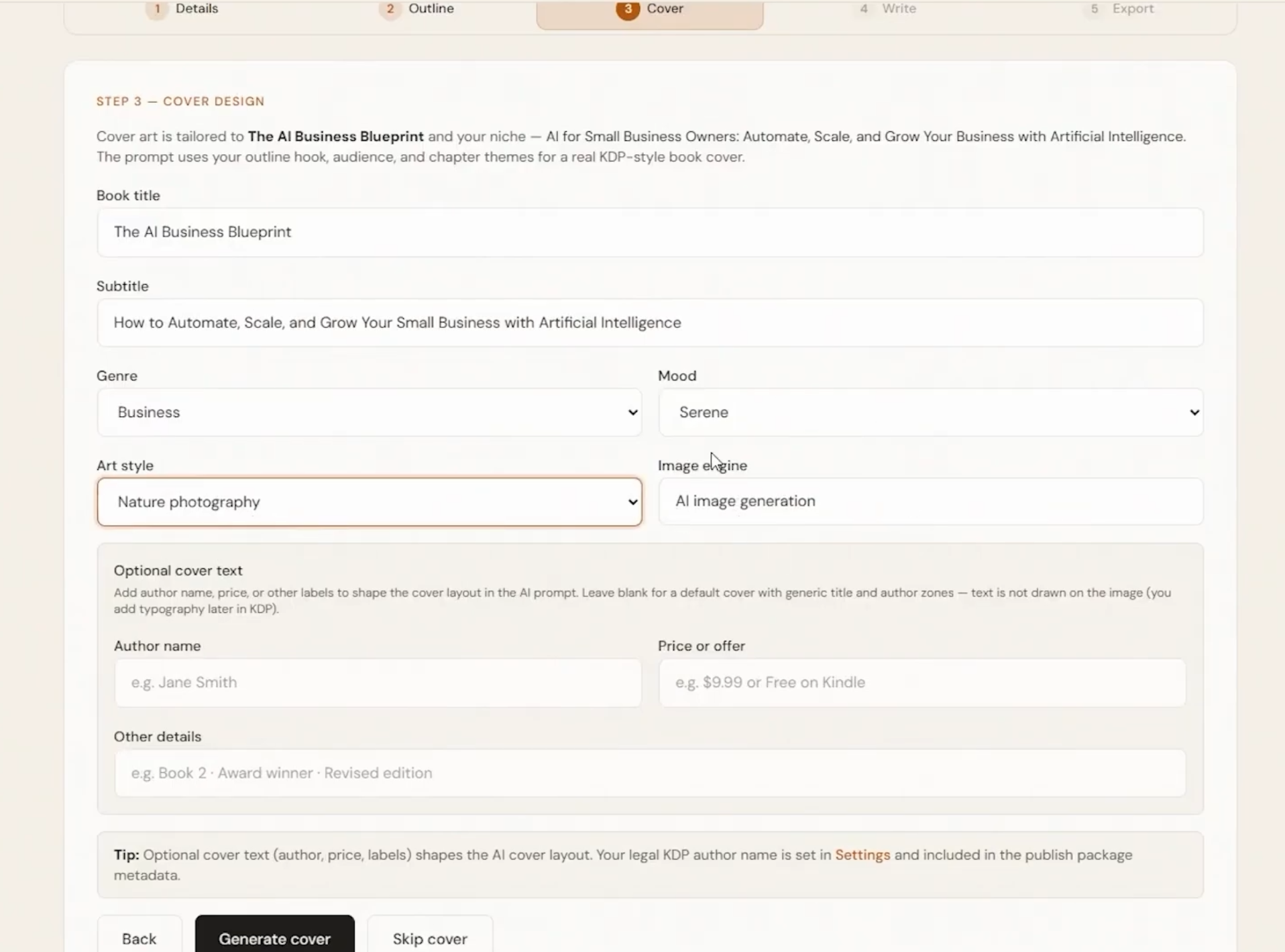
The walkthrough shows a separate Cover Page Generator that works through text input and selectable details to produce a cover image. Cover creation also appears inside the ebook workflow.
The sales material expands this into templates, customization, KDP sizing, front/back/spine creation, and 3D mockups.
I like having cover generation attached to the book project because it removes another tool switch.
I would still inspect the final typography, title readability, trim dimensions, bleed, spine calculations, and visual quality before uploading anything to KDP. A cover can look good on a dashboard preview and still need work at Amazon thumbnail size.
Auto Book Formatting
BookPilot advertises automatic interior formatting, page numbering, margins, bleed settings, tables of contents, multiple book sizes, and exports including PDF, EPUB, DOCX, and print-oriented formats.
Formatting is not glamorous, but this could be one of the more useful parts of the package if it works reliably across different book types.
Writing is the obvious AI feature. Formatting is the annoying job people often forget about until they have a finished manuscript sitting in front of them.
Again, I would check exported files rather than assuming “KDP-ready” means there is nothing left to inspect.
Multi-Language Publishing System
The advertised multilingual system can translate books and generate localized material for different markets.
There is obvious scaling potential here, but automated translation needs editorial supervision.
A grammatically valid translation can still sound unnatural, mistranslate niche terminology, or miss cultural context. I would be particularly cautious with children’s educational material, health-related content, technical books, and anything where small language errors materially change meaning.
AI Metadata & Listing Optimizer
BookPilot‘s offer also includes AI assistance for titles, descriptions, keywords, categories, author bios, and other listing information.
This solves a real workflow problem.
Finishing a manuscript does not finish a KDP launch. You still need to package the book so somebody can find it and understand why they should buy it.
AI can help produce alternatives quickly. I would use it for brainstorming and drafting metadata, then make the final choices myself rather than allowing software to decide positioning blindly.
One-Click Auto Publishing
The vendor advertises automatic manuscript and cover uploading, metadata completion, category and pricing configuration, and submission into the publishing process.
This sounds impressive, but it is also one of the features I would verify most carefully before buying specifically for it.
The supplied walkthrough ends with creation, editing, export, library management, and settings rather than showing the entire Amazon submission sequence from beginning to end.
For that reason, I would not base the whole purchase decision on “one-click publishing” until I had confirmed exactly how the current version handles Amazon KDP access and submission.
Bulk Book Creation & Publishing
For publishers managing many titles, BookPilot advertises bulk creation, metadata editing, scheduled campaigns, cover and pricing updates, and portfolio organization.
This is potentially useful for scale, but scale is also where quality control becomes more important.
Publishing ten weak books faster is not an improvement over publishing one carefully prepared book.
I would establish a repeatable review process with a few titles before trying to increase volume.
Royalty Income Dashboard
The advertised royalty dashboard is designed to track sales and earnings across books, niches, time periods, and Amazon stores, with reporting and projections.
For an established publisher, centralized performance information could help identify which niches deserve more attention.
For a beginner with no published catalog, this is secondary. I would care far more about research quality, manuscript creation, editing, and export during the first few weeks.
AI Marketing & Sales Optimizer
The marketing component is advertised as generating advertising copy, promotional descriptions, social posts, email sequences, launch ideas, promotional graphics, and other book-marketing assets.
Useful? Potentially.
A reason to buy BookPilot by itself? Probably not for me.
General AI tools can already draft marketing copy. BookPilot becomes more interesting if it can reuse information from the actual book project and therefore reduce repetitive setup.
Autonomous Publishing Agent
This is where the marketing becomes most ambitious.
The vendor describes an AI agent that can research, create, publish, monitor trends, update listings, identify niches, and run publishing campaigns automatically.
I would keep expectations grounded.
The demonstrated creation workflow still involves user inputs, moving through stages, reviewing projects, editing, and exporting.
That is not a criticism. I actually prefer a workflow where the publisher remains involved. Books are products carrying your name or brand, and I would want checkpoints before something reaches customers.
Treat “autopilot” as a direction of automation, not permission to stop paying attention.
Cloud-Based Platform
BookPilot is positioned as a browser-based platform, so the main attraction is avoiding local software installation and keeping projects accessible through the dashboard.
The demonstrated navigation supports that centralized approach: current books, creation tools, editing, library access, and settings sit within the same environment.
The sales page additionally advertises unlimited storage, backups, cross-device access, and automatically updated AI models. Those broader service claims should be understood as vendor-stated capabilities.
Newbie-Friendly Dashboard
“Zero learning curve” is sales language. Any publishing system has some learning involved.
Still, the walkthrough itself looks logically organized. You select the type of task, enter information, move through the book stages, generate the material, and export or manage the result.
The bigger learning curve for beginners will probably not be the buttons. It will be publishing judgment: choosing niches, checking AI output, understanding Amazon requirements, deciding what deserves publication, and marketing a book after it goes live.
Software can simplify those jobs. It cannot make those decisions irrelevant.
Commercial License & Rights
The offer states that commercial rights are included and advertises the ability to publish unlimited books under your own name without revenue sharing.
That is important for a publishing product.
However, “commercial rights included” should not be confused with automatic marketplace compliance. You remain responsible for what you publish and for satisfying the policies of any marketplace you use.

Coupon Code:
BP4OFF – $4 off
BPT30 – 30% off

How Does BookPilot Work?
The supplied walkthrough gives us a much clearer picture here than the larger sales-page promises.
After logging in, you arrive at the main dashboard. The left-side navigation gives access to the overview and BookPilot‘s individual creation tools:
The normal ebook workflow goes roughly like this.
Step 1: Start an ebook project.
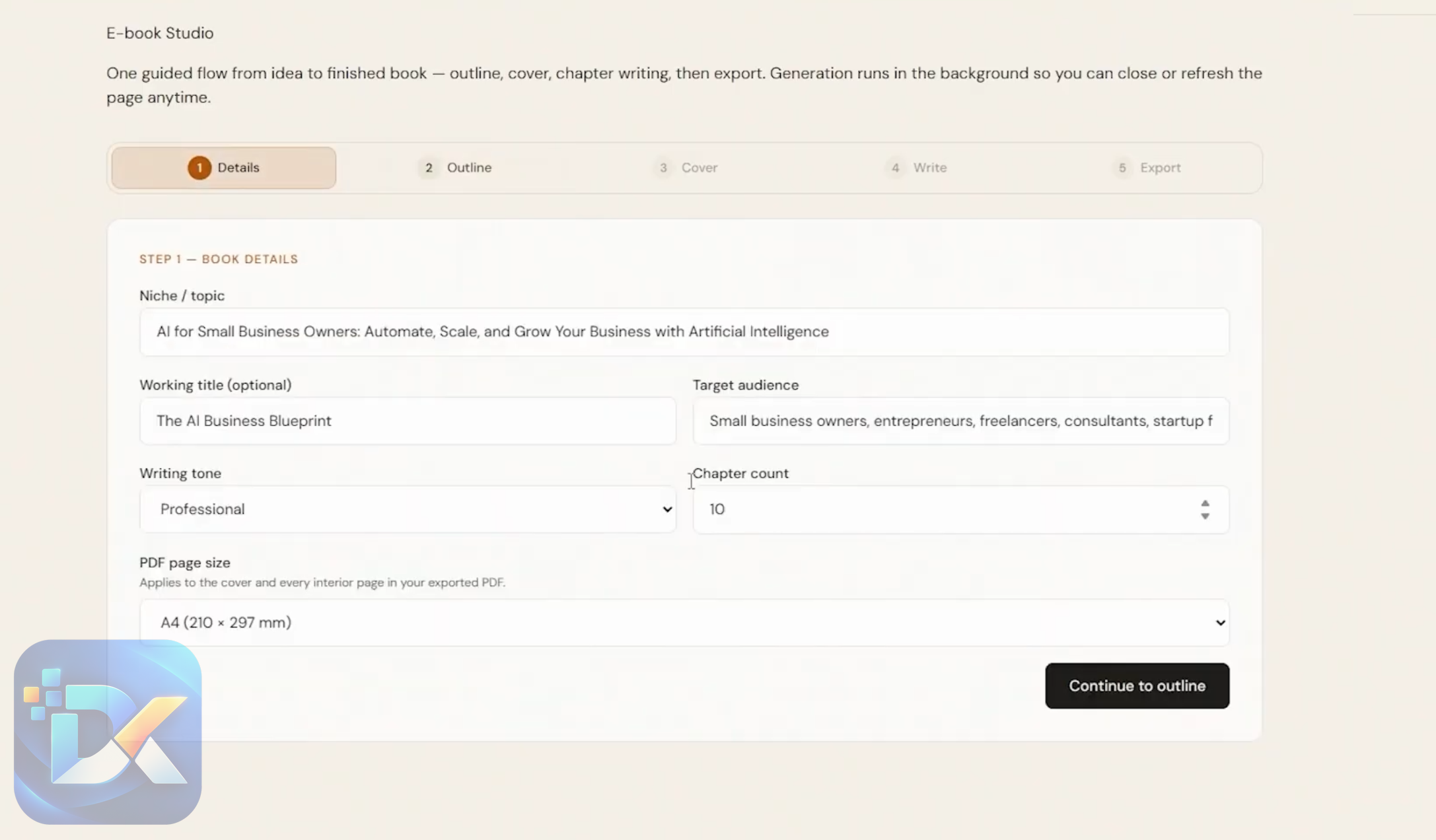
Enter the book topic, title, target audience, and other requested information.
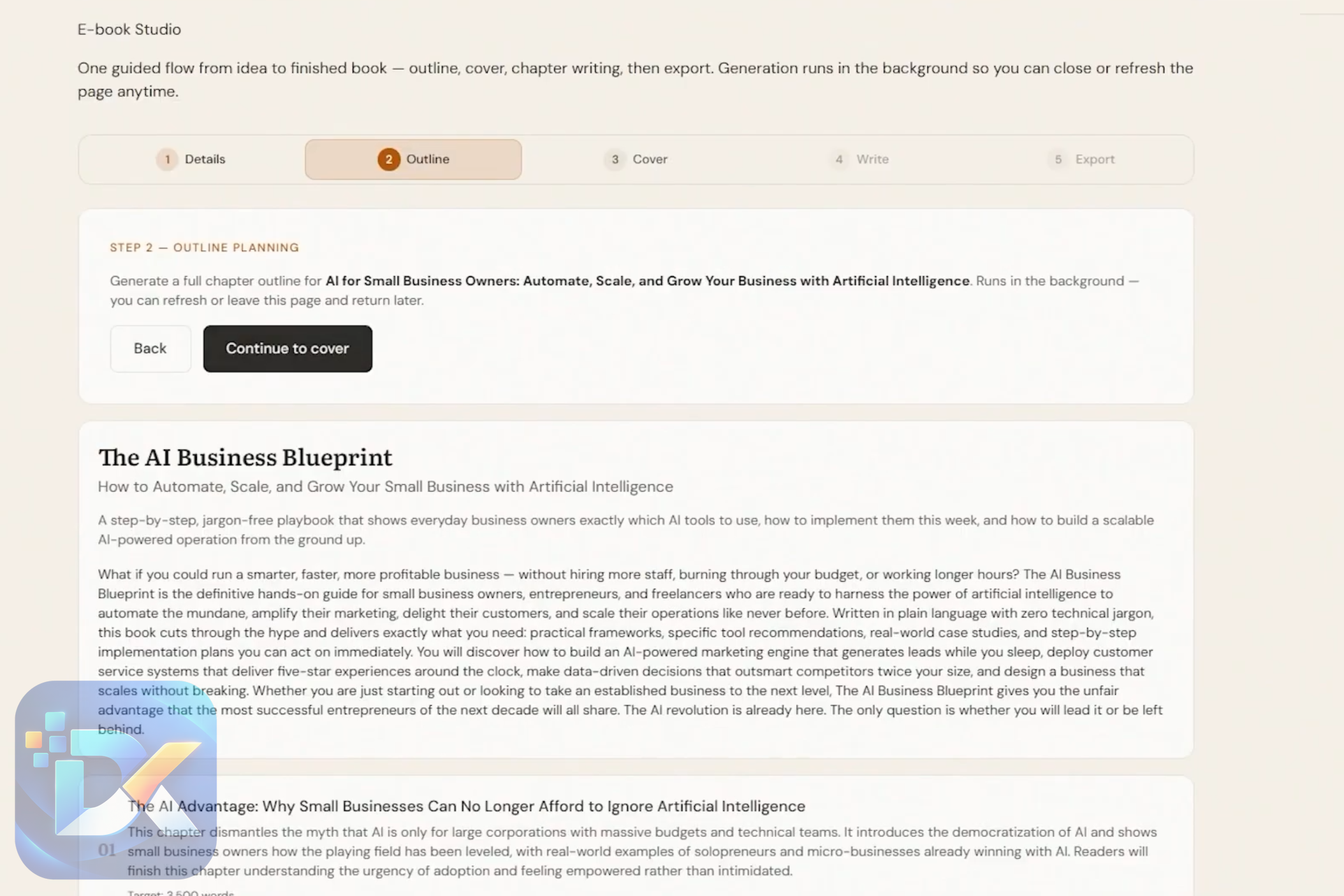
Step 2: Build the outline.
Continue into the outline section and supply the information BookPilot needs to structure the manuscript.
Step 3: Create the cover.
Use a text prompt and the cover-generation controls to produce artwork for the book.
Step 4: Generate the chapters.
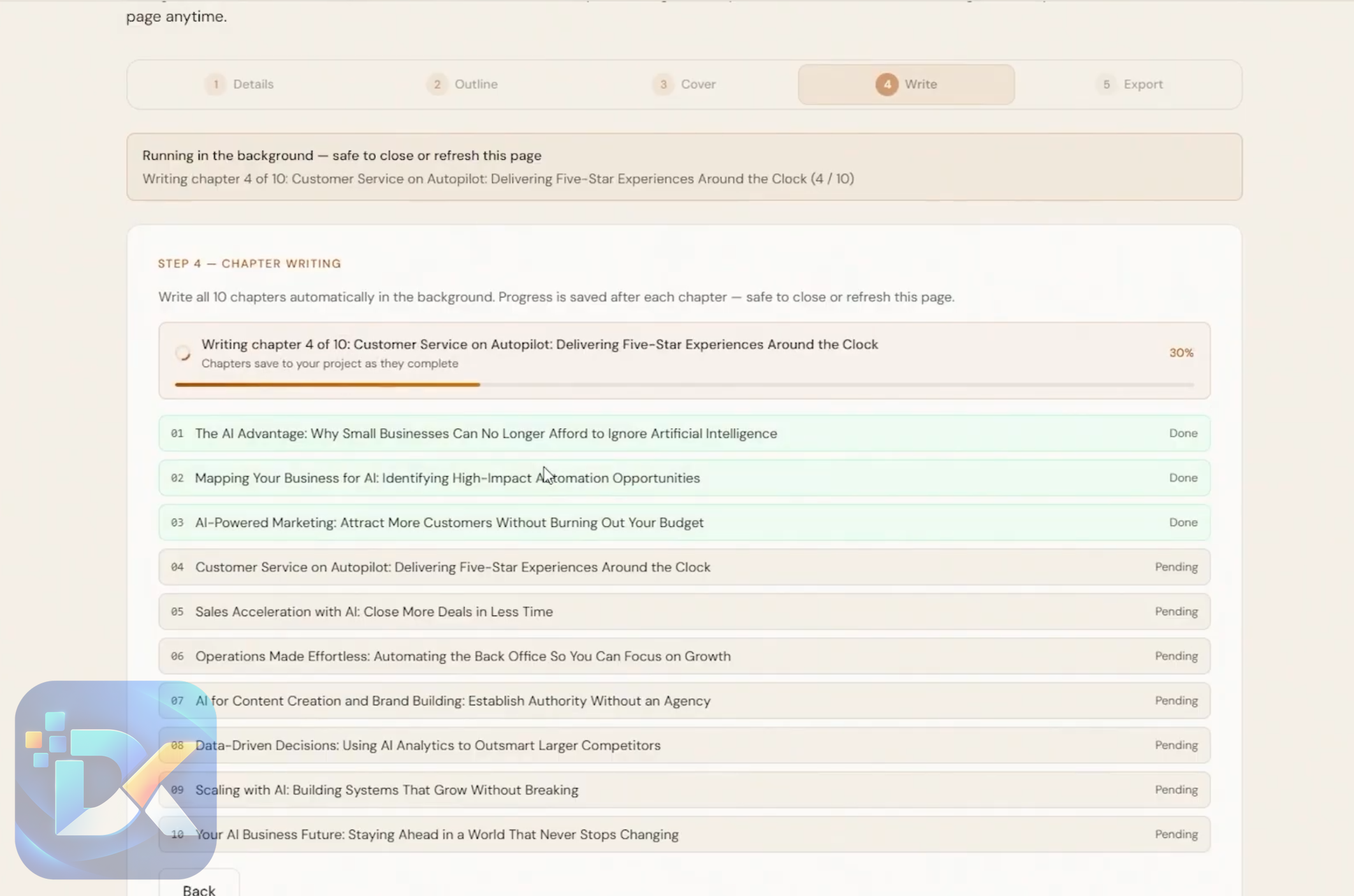
Move into the writing stage and let the AI create the manuscript around the chosen outline.
Step 5: Review and edit.
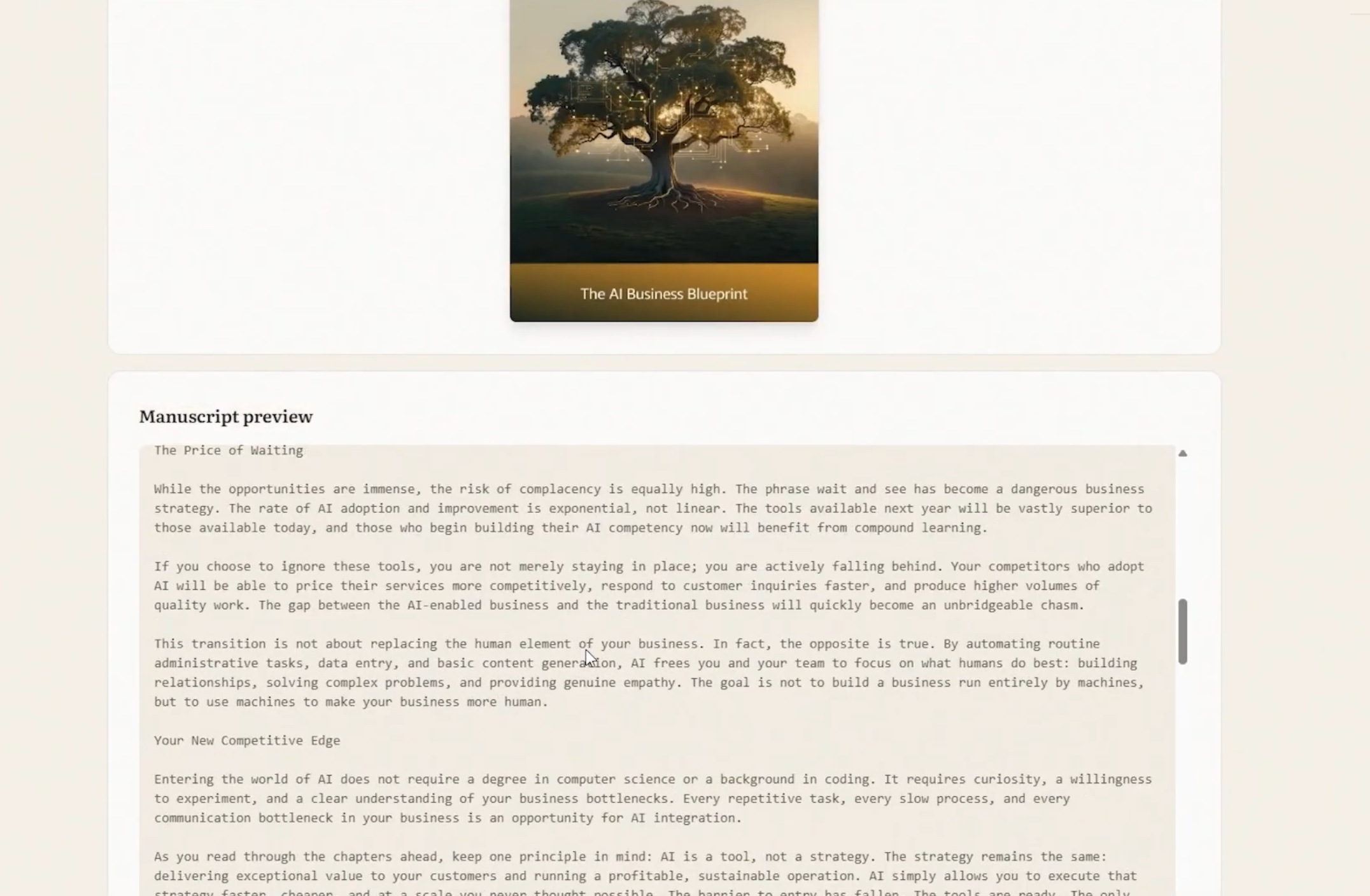
BookPilot includes a Book Editor. The walkthrough explains that a downloaded ebook can be uploaded there and edited.
Step 6: Export and organize.
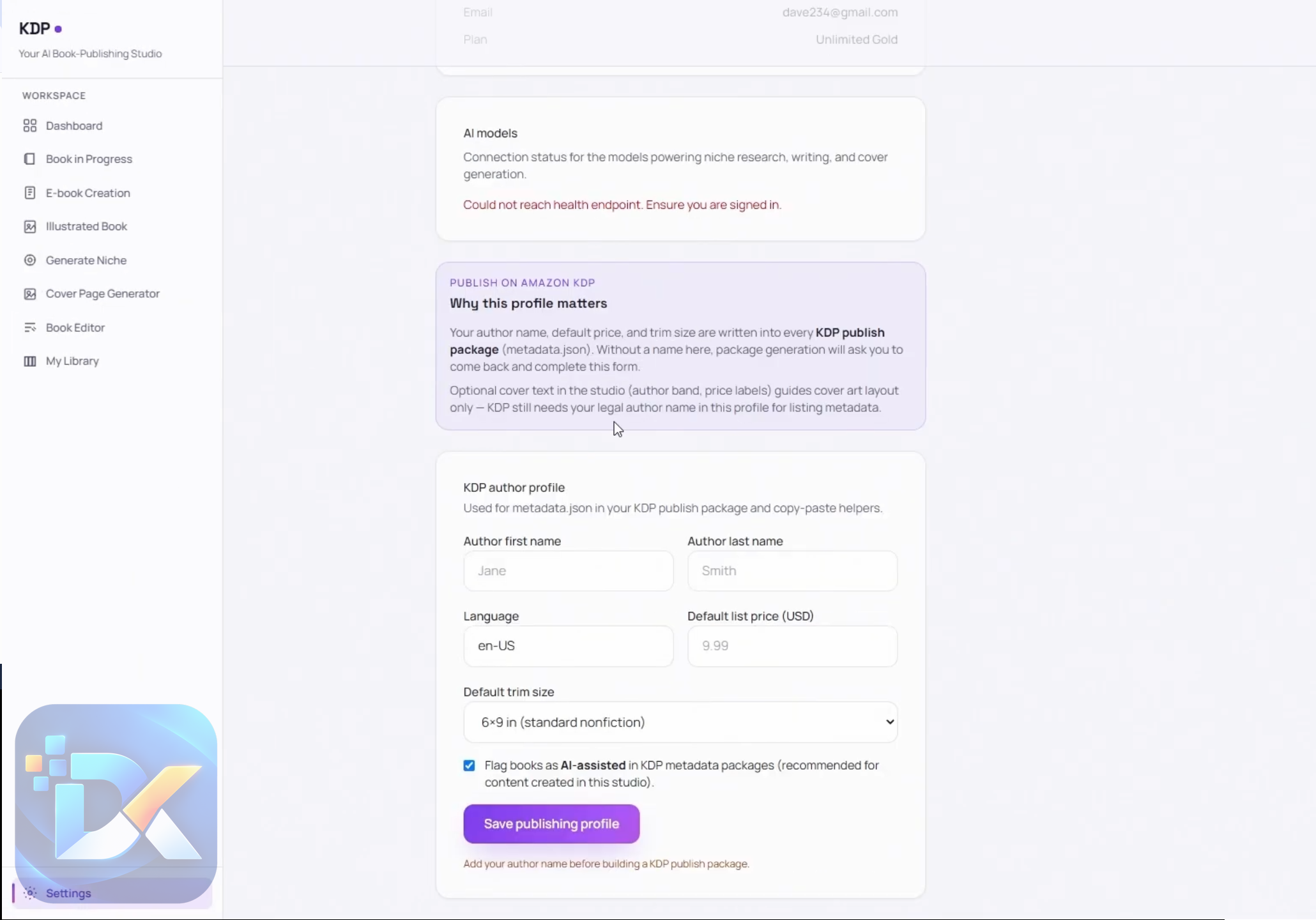
Export the generated ebook and access previous creations through My Library. Projects that are still being generated can be managed under Book In Progress.
Illustrated books use a related workflow involving book type, pages, cover, illustrations, and export.
There is also a standalone niche generator and cover generator, which means you do not necessarily have to create a full book every time you want to use those tools.
What I like about this workflow is the continuity.
What I would change is the mindset implied by some of the marketing. I would put a large mental checkpoint between “generate” and “publish.”
Generate. Read. Fact-check. Edit. Inspect the images. Check formatting. Review metadata. Then decide whether the book deserves to be published.
That extra human layer is not wasted time. It is publishing.
To see the platform in action, be sure to check out the full demo video below:

Who Should Try BookPilot?
BookPilot makes the most sense to me for people who want to build or experiment with an Amazon KDP catalog but dislike managing a fragmented collection of tools.
A beginner can benefit from having a guided book workflow instead of figuring out which software handles each production stage.
Existing KDP publishers may get more value from consolidation. If you already research niches, outline books, generate drafts, create covers, and manage assets separately, bringing several of those jobs into one project environment can reduce administrative friction.
It may also suit affiliate marketers and digital publishers who already understand niche selection and want to test KDP as another content business.
Illustrated-book creators are another obvious audience, although I would specifically test character and artwork consistency before committing to a large publishing schedule.
BookPilot is less compelling for authors who want complete creative control over every sentence and visual, professional publishers with established editorial/design systems, or anyone expecting software to guarantee profitable books.
And if your only goal is writing prose, you probably do not need a complete KDP platform. A strong writing and editing workflow may be enough.
Why Is It Worth Checking Out?
The strongest argument for BookPilot is not “passive income.”
It is workflow consolidation.
Imagine the normal production chain: keyword tool, AI writer, image generator, cover designer, formatting software, manuscript editor, spreadsheet or folder system, metadata research, and finally KDP.
Every transition adds friction. Files get duplicated. Prompts get lost. Versions get mixed up. You forget which cover belongs to which manuscript.
BookPilot is trying to turn that pile of tasks into one publishing project.
That is the part I would actually pay attention to.
The $14.99 launch price also makes the front end relatively inexpensive to test compared with assembling several separate paid subscriptions. The vendor currently advertises it as a one-time payment, although launch pricing can change.
I also like that the demonstrated software is not limited to a mysterious “autopilot” button. There are identifiable tools for niche generation, ebook creation, illustrated books, covers, editing, project progress, and library management.
That gives the product a practical use even if you ignore the bigger income claims.
The caution is equally straightforward.
A faster publishing pipeline increases your responsibility to filter what goes through it.
If BookPilot helps you create three book concepts in the time it previously took to create one, great. I would use the extra capacity to test ideas and improve the best ones—not simply publish all three because the AI produced them.
The Price
The supplied launch information lists BookPilot at $14.99 for the front-end offer:

Two coupons are provided:
- BP4OFF – $4 off
- BPT30 – 30% off
The current offer describes the front end as a one-time purchase rather than a recurring subscription. The vendor also advertises a 30-day money-back guarantee.
One detail deserves attention: the refund disclaimer says qualification requires genuine effort and engagement with the product. That means I would read the current refund terms rather than interpreting “30-day guarantee” as an unconditional promise in every situation.
At the listed launch price, I would start with the front end.
Do not buy nine upgrades on day one because the funnel tells you what you might need later. First find out whether you like the core creation process.
The OTO Details
BookPilot has a substantial upgrade funnel.
OTO 1: BookPilot Unlimited – $47–$97
This is positioned as the version that removes restrictions and expands limits.
I would only consider Unlimited after you encounter a real front-end limit. Buying capacity you have not needed yet is still buying unused capacity.
OTO 2: KDP Profit Multiplier – $37
This is training rather than a core software function and is marketed around building KDP income.
Beginners who need publishing strategy may find training useful, but I would not treat any advertised income target as an expected result.
OTO 3: BookPilot Agency – $97–$167
The Agency upgrade is aimed at people who want to create BookPilot accounts for clients.
That is a specialized use case. A normal self-publisher can skip it.
OTO 4: BookPilot Automation – $37
This adds the more aggressive “set and forget” automation angle.
I would only look at this after I had established a publishing process I trusted manually. Automating an untested workflow is backwards.
OTO 5: BookPilot DFY KDP Assets – $32
This package advertises more than 2,000 done-for-you ebooks across multiple niches.
I would be cautious with ready-made publishing assets. Check originality, licensing, quality, duplication risk, and marketplace suitability before putting your name on anything.
OTO 6: BookPilot Profit Niche Sites – $32
This expands outside the core KDP workflow into ready-made niche websites.
Skip it unless niche websites are already part of your strategy.
OTO 7: BookPilot TrafficPilot – $32
This is positioned around traffic rather than core book creation.
Again, solve the publishing problem first. Add traffic tools when you actually have books worth promoting.
OTO 8: BookPilot Affiliate Empire – $39
This is an affiliate-marketing package rather than a necessary BookPilot publishing upgrade.
KDP publishers who are not building affiliate campaigns have little reason to add it.
OTO 9: BookPilot Reseller – $67–$147
This is aimed at buyers interested in reselling the software rather than simply using it to create books.
Most BookPilot users can ignore it.
My purchasing approach would be simple: start with the smallest version that lets you test the actual workflow. Upgrade when a specific limitation appears.
Pros & Cons
Pros:
- Brings several book-production tasks into one dashboard.
- Demonstrated workflow covers niche generation, ebooks, illustrated books, covers, editing, exports, project progress, and a content library.
- Low front-end launch price compared with subscribing to several separate specialist tools.
- Book creation is structured as a project rather than a sequence of disconnected prompts.
- Dedicated illustrated-book and cover workflows broaden its usefulness beyond plain-text ebooks.
- Commercial usage rights are advertised as part of the offer.
- A 30-day refund policy is advertised, although buyers should check its conditions.
Cons:
- The sales page makes aggressive income and “complete autopilot” claims that should not be interpreted as guaranteed results.
- Several of the most ambitious capabilities are advertised more extensively than they are demonstrated in the supplied walkthrough.
- AI-generated manuscripts, illustrations, translations, covers, and metadata still require human review.
- Amazon approval, rankings, sales, and royalties are not guaranteed simply because production is automated.
- Nine optional upgrades make the funnel more complicated than the inexpensive front-end price initially suggests.
- Users interested mainly in writing may not need such a broad platform.
Is BookPilot Legit?
There is enough demonstrated product workflow here for me to treat BookPilot as an actual KDP creation application rather than judging it solely from the marketing claims.
The walkthrough identifies the dashboard areas and demonstrates how an ebook project moves from initial details to outline, cover, AI writing, editing, export, and library management. It also shows separate illustrated-book, niche-generation, and cover-generation functions.
Where I would remain skeptical is around the language of guaranteed-sounding automation and profitability.
The vendor’s own disclaimer acknowledges that examples are not guarantees and that individual outcomes vary.
That is the right lens through which to view BookPilot.
The software may help you produce books. It cannot make readers want those books.
It may shorten research and creation tasks. It cannot guarantee that a niche is profitable.
It may automate parts of publishing. It does not transfer responsibility for what gets published away from you.
That distinction makes the product easier—not harder—to evaluate fairly.
Frequently Asked Questions
How much does BookPilot cost?
The supplied launch price is $14.99 for the front-end version. The provided coupons are BP4OFF for $4 off and BPT30 for 30% off. Pricing can change after a launch, so check the current checkout before purchasing.
Is BookPilot a monthly subscription?
The current offer states that the front-end is being sold for a one-time price with no recurring charge. The vendor also says this pricing arrangement may change, so I would verify the terms displayed at checkout.
Do I need writing skills?
The software can generate outlines and chapters from the information you provide, so you do not need to write an entire manuscript from scratch. You should still be capable of reading, checking, and editing AI output before publishing it.
Can BookPilot create illustrated books?
Yes. Illustrated Book is a specific area shown in the walkthrough, using stages for the book setup, pages, cover, illustrations, and export.
Can it generate book covers?
Yes. The demonstrated Cover Page Generator accepts text-based instructions and settings to generate a cover image. Cover creation is also incorporated into the ebook workflow.
Can I edit the generated books?
Yes. The walkthrough shows a Book Editor and explains that generated/downloaded ebooks can be uploaded for editing.
Can I publish unlimited books?
The vendor states that there are no caps on the number of books that can be created and published and advertises commercial publishing rights. Because an Unlimited upgrade is also offered, I would verify the exact current front-end usage limits at checkout rather than assuming every type of usage is unrestricted.
Does BookPilot guarantee KDP income?
No. The vendor’s disclaimer explicitly says that earnings are not guaranteed and individual results vary.
Is there a refund policy?
The offer advertises a 30-day money-back guarantee. Its disclaimer also refers to genuine effort and engagement as a qualification condition, so read the current refund policy before relying on the guarantee.
Do I need the BookPilot upgrades?
Not automatically. I would begin with the front end and test niche generation, manuscript creation, covers, editing, and exports. Consider an upgrade only when you can identify the exact limitation it solves.
Final Verdict
BookPilot interests me for a much simpler reason than the “royalty income on autopilot” pitch.
KDP publishing is fragmented, and BookPilot tries to make it less fragmented.
The demonstrated core workflow brings niche ideas, ebook creation, illustrated books, cover generation, editing, exports, project management, and a content library into the same environment. That is a practical problem worth solving.
Its biggest limitation is expectation management.
I would not buy BookPilot expecting to click a button and wake up with a profitable publishing business. Niche judgment, quality control, editing, marketplace compliance, positioning, and marketing still matter. The faster the AI produces material, the more disciplined your review process needs to become.
At the supplied $14.99 launch price, the front end makes the most sense as the starting point. I would use the refund period to create one normal ebook and, if relevant to your niche, one illustrated project. Inspect the manuscript, cover, illustrations, editing workflow, and final exports carefully. If those pieces save you meaningful work, you have your answer.
I would skip most OTOs initially. Unlimited makes sense only when limits get in your way. Agency is for client-oriented users. Automation is something I would consider only after proving the underlying workflow. The remaining marketing, DFY, niche-site, affiliate, and reseller upgrades solve different problems rather than making the basic book creator automatically better.
So my position on BookPilot is consider it if you want a lower-cost, consolidated AI-assisted KDP workflow and are prepared to remain the editor and publisher in charge.
That last part matters.
BookPilot can do more of the production work. I would not let it make the final publishing decision for me.
BookPilot is an AI-powered Amazon KDP publishing platform that brings niche research, book creation, illustrations, cover design, editing, and publishing preparation into one dashboard. It is designed for beginners and KDP publishers who want to reduce the number of separate tools needed to create and manage books while still keeping human review and quality control in the workflow.
Product Brand:
Venkatesh Kumar & Visves
Product Currency:
USD
Product Price:
14.99
Product In-Stock:
InStock BookPilot Review: Is It Worth $14.99 for KDP Publishers?

4.4


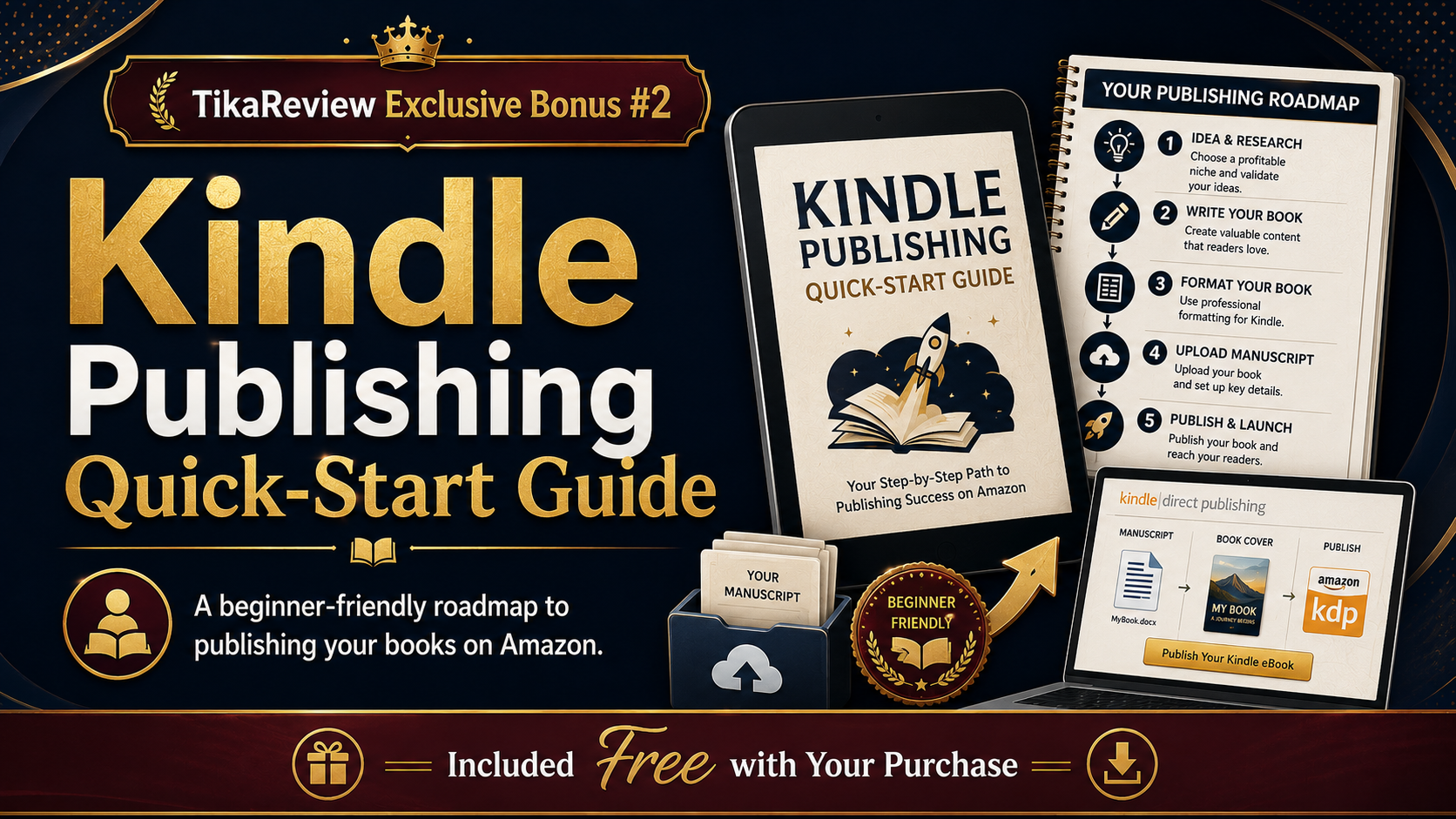


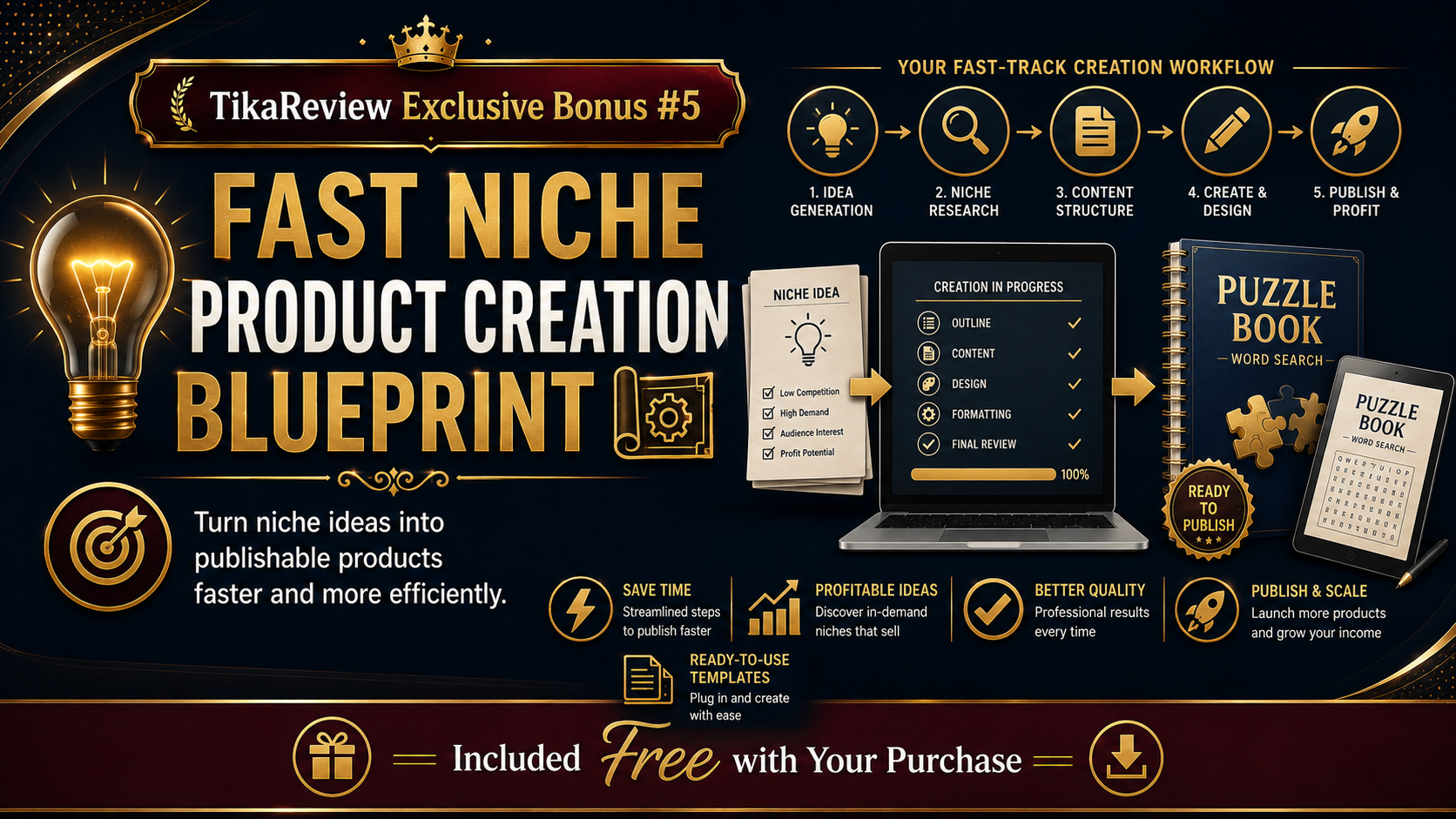
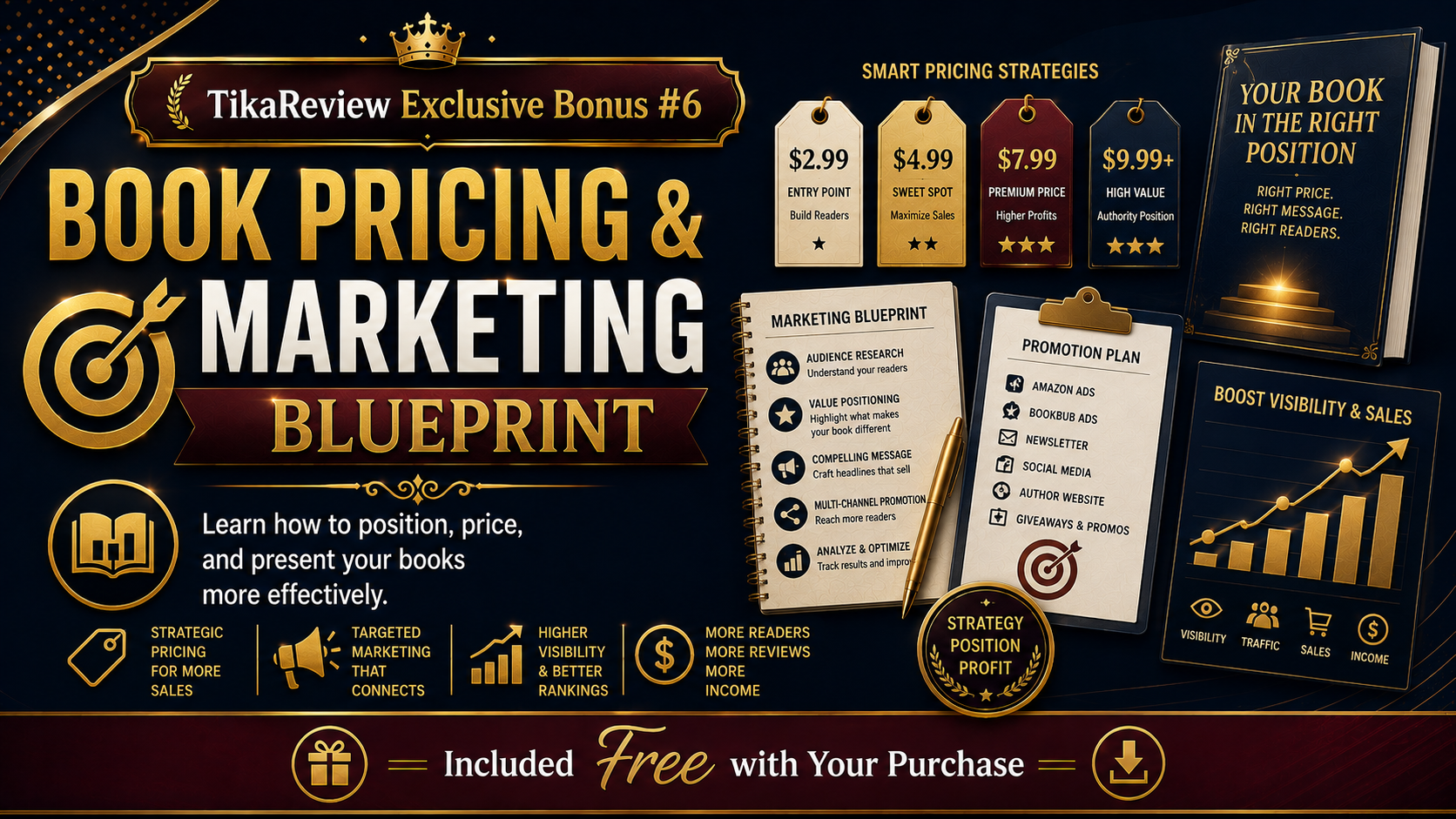
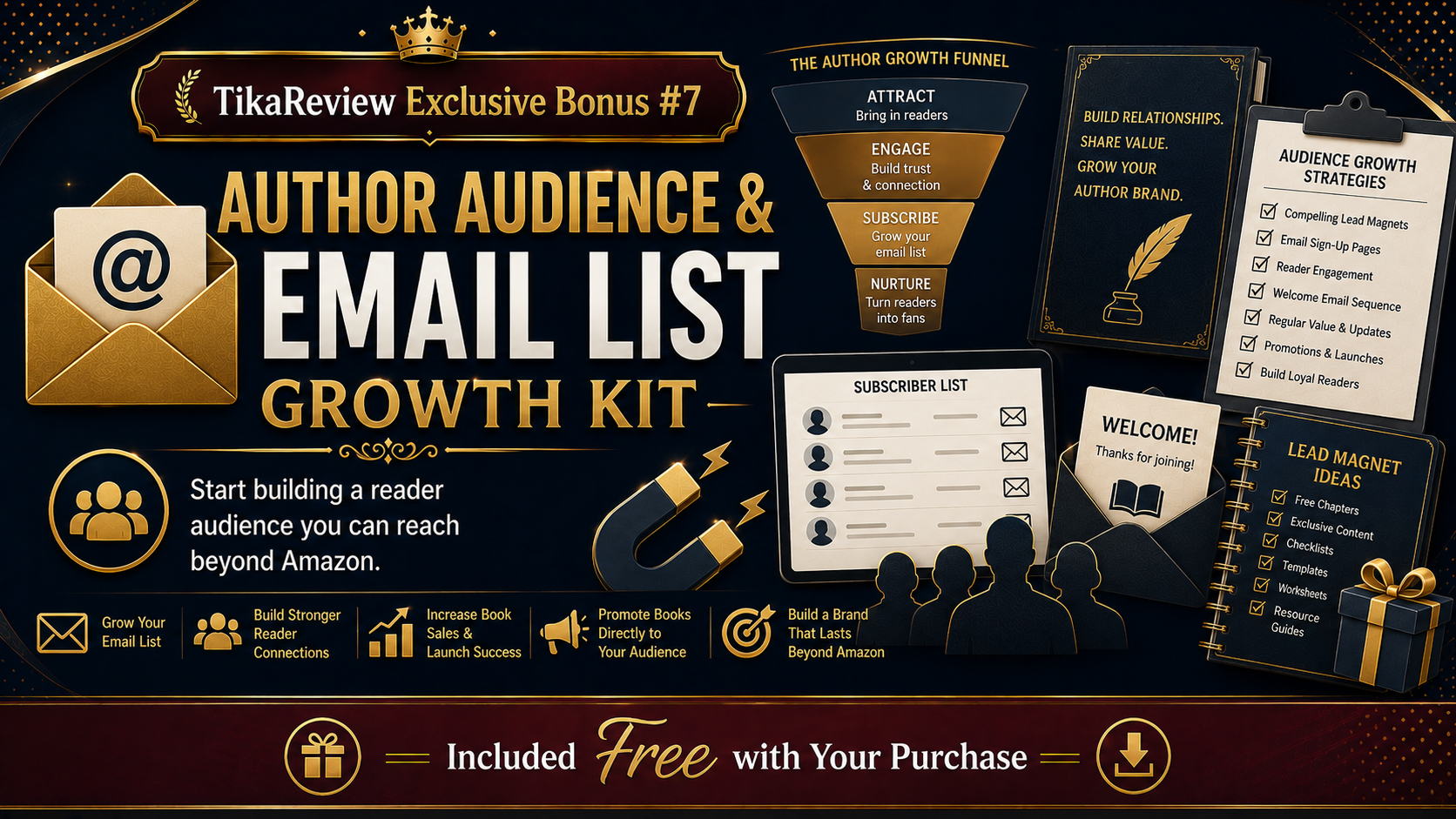

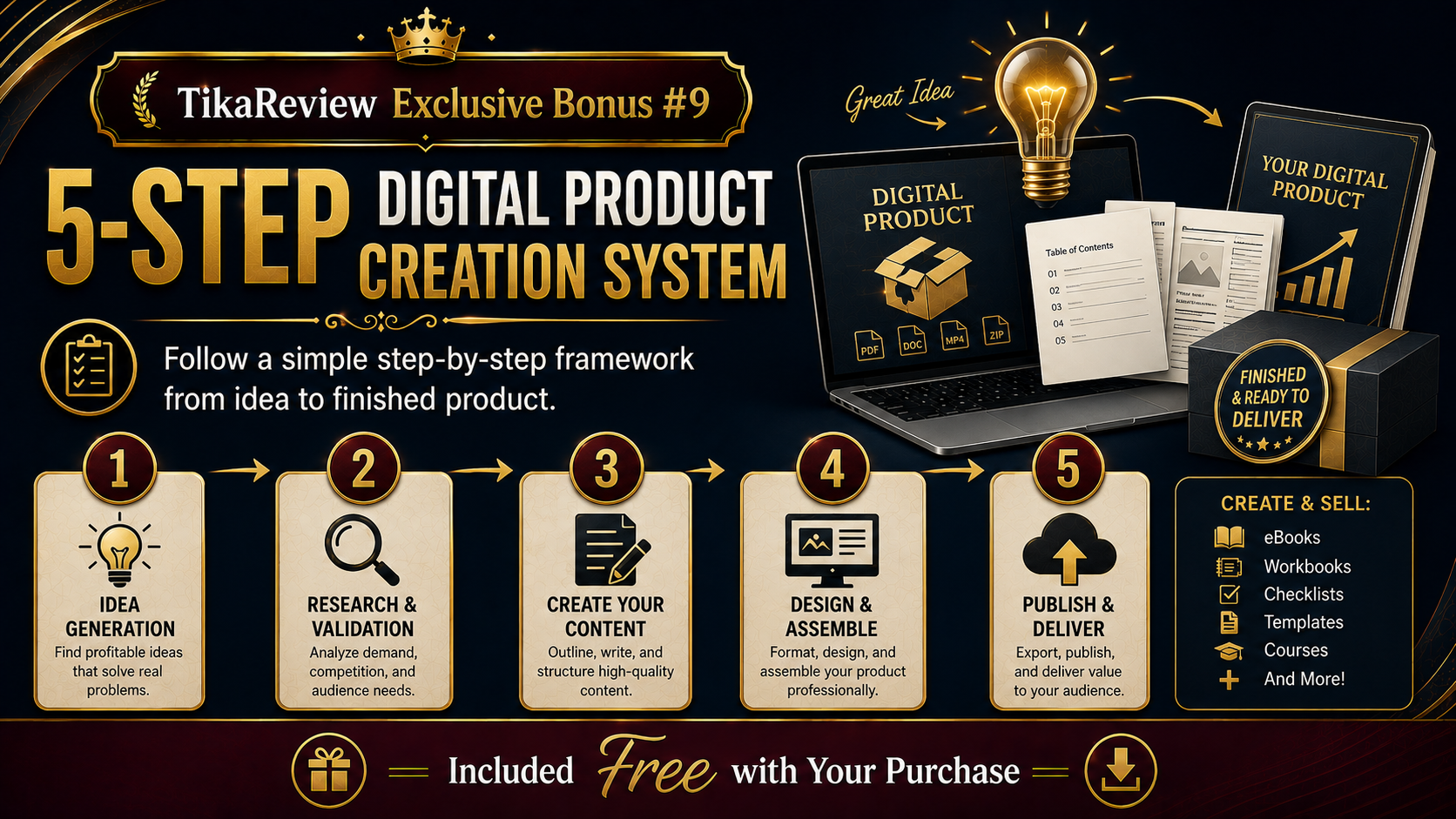



***3 STEPS TO CLAIM THIS BONUSES***
Step 1: Purchase BookPilot through my BookPilot Review page:
Coupon Code:
BP4OFF – $4 off
BPT30 – 30% off
Step 2: Complete your order successfully using my affiliate link.
Step 3: That’s it! Your exclusive bonuses will be automatically delivered to you after your purchase is successfully completed.
No need to send your receipt or contact support. Simply complete your order and get instant access to your bonuses.