
Local Site Creator Review
Build Multi-Page Local Business Sites With AI And Replit For $7
Here’s a fact that never gets old. Walk down any main street, pick ten small businesses, and look them up online. A few will have decent websites. Some will have an old one-page site from 2014. And a surprising number will have nothing but a Facebook page and a Google listing.
That gap is real money. Local businesses need websites, but most owners don’t want to deal with WordPress, plugins, hosting panels, or a designer who disappears for three weeks. So they put it off. Then a competitor with a cleaner site takes their calls.
Now, AI has changed how websites get built. You can describe a site in plain English and watch a tool write the code. Sounds easy, right? Well, not quite. The output is only as good as the instructions. Give an AI a vague prompt and you’ll get a vague website. Thin pages. Generic copy. No real local focus.
That’s exactly the problem Local Site Creator tries to fix. It doesn’t build the website for you. Instead, it helps you plan the site properly, turns that plan into a long, detailed set of instructions, and then shows you how to hand those instructions to Replit, which does the actual coding and publishing. On top of that, it gives you a small CRM to manage the clients you land.
In this Local Site Creator review, I’ll walk you through what you get, how it works, what it costs, the Local Site Creator OTO lineup, the bundle deal, and the extra costs nobody should ignore. I’ll also tell you where it falls short. By the end, you’ll know if it’s worth it for you or not.
Let’s dig in.
Overview Of Local Site Creator
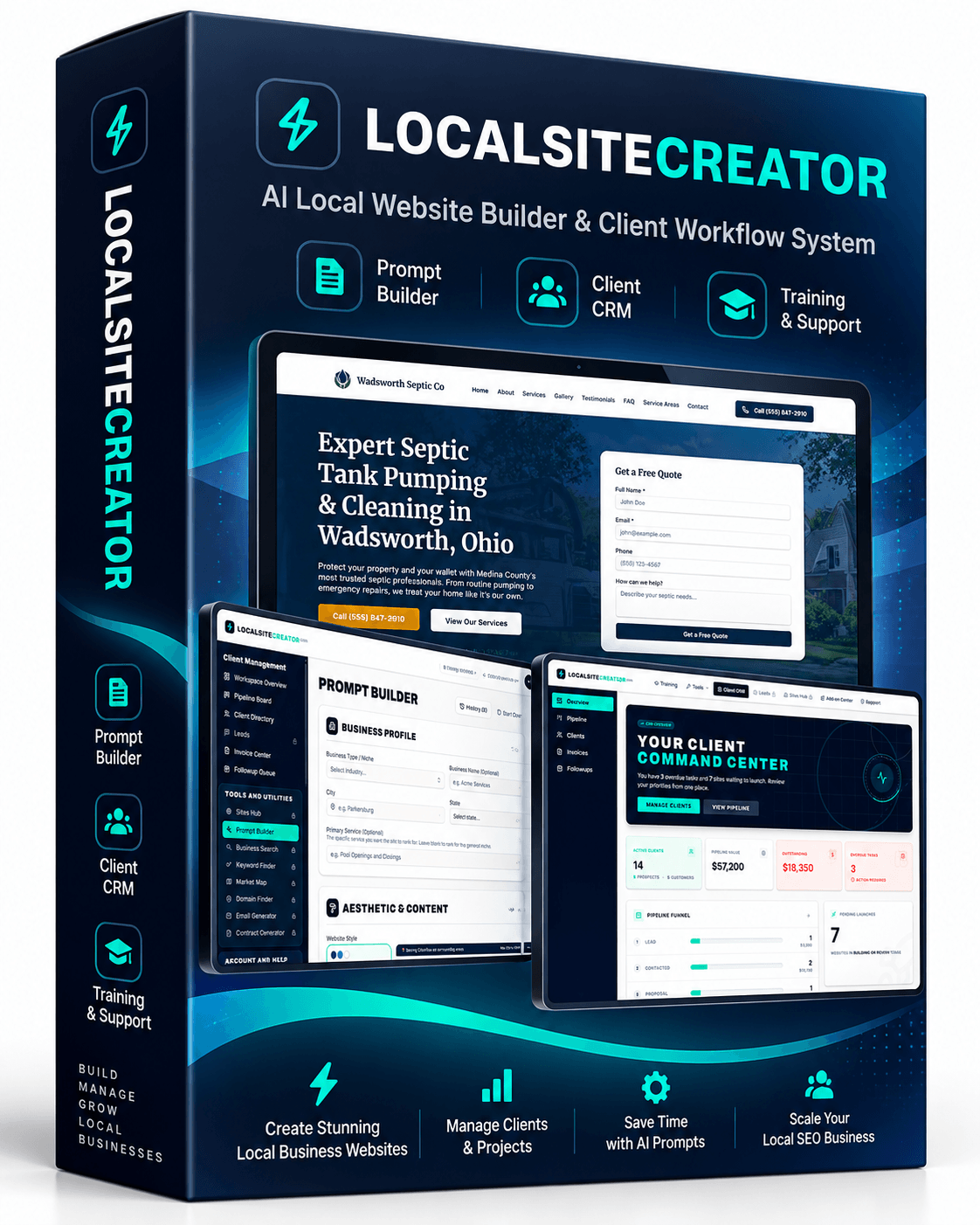
| Detail | Information |
|---|---|
| Product | Local Site Creator |
| Vendor/Creator | Chris Derenberger |
| Launch | October 5, 2026 |
| Sold through | JVZoo |
| Sales Page | Local Site Creator Sales Page |
| What it does | Training and website-planning system that turns local business details into a detailed build prompt for multi-page local sites |
| Build platform | Replit (separate account and paid subscription, starting at around $20/month) |
| AI images | Your own OpenAI API key (usage-based billing) |
| Core modules | Replit training, Local Prompt Builder, Client Manager Dashboard, Invoice Center, Workspace Overview, Pipeline Board, Client Directory, Follow-up Queue |
| Front-end price | $7 one-time (launch special, listed regular price $97) |
| Upsells | 8 OTOs, from $29 to $79 each |
| Bundle | $297 one-time (all 8 add-ons) |
| Bundle Link | Local Site Creator Add-on Bundle |
| Refund | 14-day refund window, requests reviewed case by case |
What Exactly Is Local Site Creator?
Local Site Creator is a training and website-planning system for building professional multi-page websites for local businesses with AI. Think of it as the brain and the playbook. Replit is the hands.
Here’s the simple version. You pick a business type, say an electrician. You give it a name and a city. Then you choose a design style, the pages you want, the services the business offers, and a few local SEO extras. The Local Prompt Builder takes all of that and assembles one long, structured prompt. In the demo I watched, that prompt ran past 3,500 words. You copy it, paste it into Replit, and Replit’s AI agent writes and publishes the site.
The vendor claims a complete site can go live in around 15 minutes. In the demo, one electrician site took 13 minutes to build, and the creator said it cost him less than $5 in AI usage. Keep in mind, that’s his number on his setup. Your time and cost will depend on your Replit plan, image settings, and how many revisions you ask for.
So why not just open Replit and type “build me an electrician website”? Because detail matters. A short prompt gives the AI room to guess. A detailed prompt tells it the services, the city, the surrounding areas, the page structure, the calls to action, the trust elements, the FAQs, and the SEO basics. Less guessing means a better first draft.
And this isn’t only a site-building tool. The front end also includes a Client Manager Dashboard with invoicing, a pipeline, a client directory, and a follow-up queue. In other words, it covers both halves of a local web business: making the sites and managing the people who pay for them.
One more thing. You don’t need WordPress. No themes, no page builders, no cPanel, no plugin updates. The whole workflow runs through Replit. For some people, that alone is a relief.
Meet The Creator

Local Site Creator comes from Chris Derenberger, an online marketer and software creator who has been in affiliate and internet marketing for over two decades and went full-time online back in 2013.
He first built his name teaching YouTube affiliate marketing through courses like YT Supremacy and YT Influencer, then moved into AI software with releases such as AIWiseMind, eBook Writer AI, MedPoster AI, AIBizly, AI Affiliate Suite, and his more recent AI thumbnail platform Thumbium. That mix of SEO, website building, and AI tools lines up neatly with what this product tries to do.
What’s Included In This Local Site Creator?
The $7 front end gives you the complete video training, the Local Prompt Builder app, and the Client Management Dashboard. None of the add-ons are required to use the core system. Here’s what each piece does.
Training On The Replit AI Platform
This is the backbone. The step-by-step training shows you how to use Replit to create, edit, and publish local business websites. You follow the modules in order. First you learn the Replit platform. Then you learn the Prompt Builder workflow. Then you learn how to update sites and turn them into income.
Why does this matter? Because Replit can feel strange at first if you’ve only used WordPress or drag-and-drop builders. The training removes that learning curve. It also covers local SEO foundations like schema markup, image optimization, alt text, and mobile layouts. And it’s honest about one thing I appreciate: strong SEO features build a foundation, not a guarantee.
Local Prompt Builder
This is the star of the show. The Local Prompt Builder turns business information into clear website-building instructions for Replit. You fill in:
- Business type (electrician, roofer, plumber, lawyer, and so on)
- Company name and location
- Design style, such as modern and professional
- Pages you want included
- Services offered, with the option to add your own
- Extras like competitor research, service summaries, local landmarks, and clear calls to action
- Image settings, including your own OpenAI API key for higher-quality images
- Special notes, such as brand colors
When you’re done, the tool builds the prompt. You save it, copy it, and paste it into Replit. That’s it.
A couple of options in the builder, like a custom lead capture system and multi-service subpages, are extras you can add later. So don’t expect every toggle to be unlocked on day one.
Client Manager Dashboard
The Client Manager Dashboard is your central workspace for the business side. It keeps client information, sales opportunities, invoices, and follow-up activities in one place. For a solo freelancer, that means one less subscription to a separate CRM.
Invoice Center
The Invoice Center stores client billing records. You can create invoice entries, manage existing ones, download them when needed, and check payment information for each project. Nothing fancy, but it keeps money matters tidy.
Workspace Overview
The Workspace Overview gives you a quick snapshot of your business. It shows active work, pipeline value, and upcoming actions. So instead of digging through every record, you glance at one screen and know what needs doing.
Pipeline Board
The Pipeline Board tracks prospects through each stage of your sales process. A lead moves from first contact to proposal, then negotiation, then won or lost. It’s a visual way to see where your deals stand.
Client Directory
The Client Directory is a searchable list of every client. Search, sort, and open records to check contact info, project details, or status.
Follow-up Queue
The Follow-up Queue shows open activities, deadlines, and completion statuses. Basically, it answers one question every morning: who do I need to call today?
Sample Sites
To show what the finished product looks like, the vendor points to live examples like ripleycamerasco.com, a security camera business, and mountainstatebankruptcy.com, a bankruptcy law firm. Both follow a clear lead-focused layout. Hero section, trust signals, services, local targeting, FAQs, testimonials, and strong calls to action. They look like real businesses, not template filler.

How You Can Use It?
Let’s go through how Local Site Creator works, step by step. The flow is simple once you see it.
Step 1: Get Your Accounts Ready
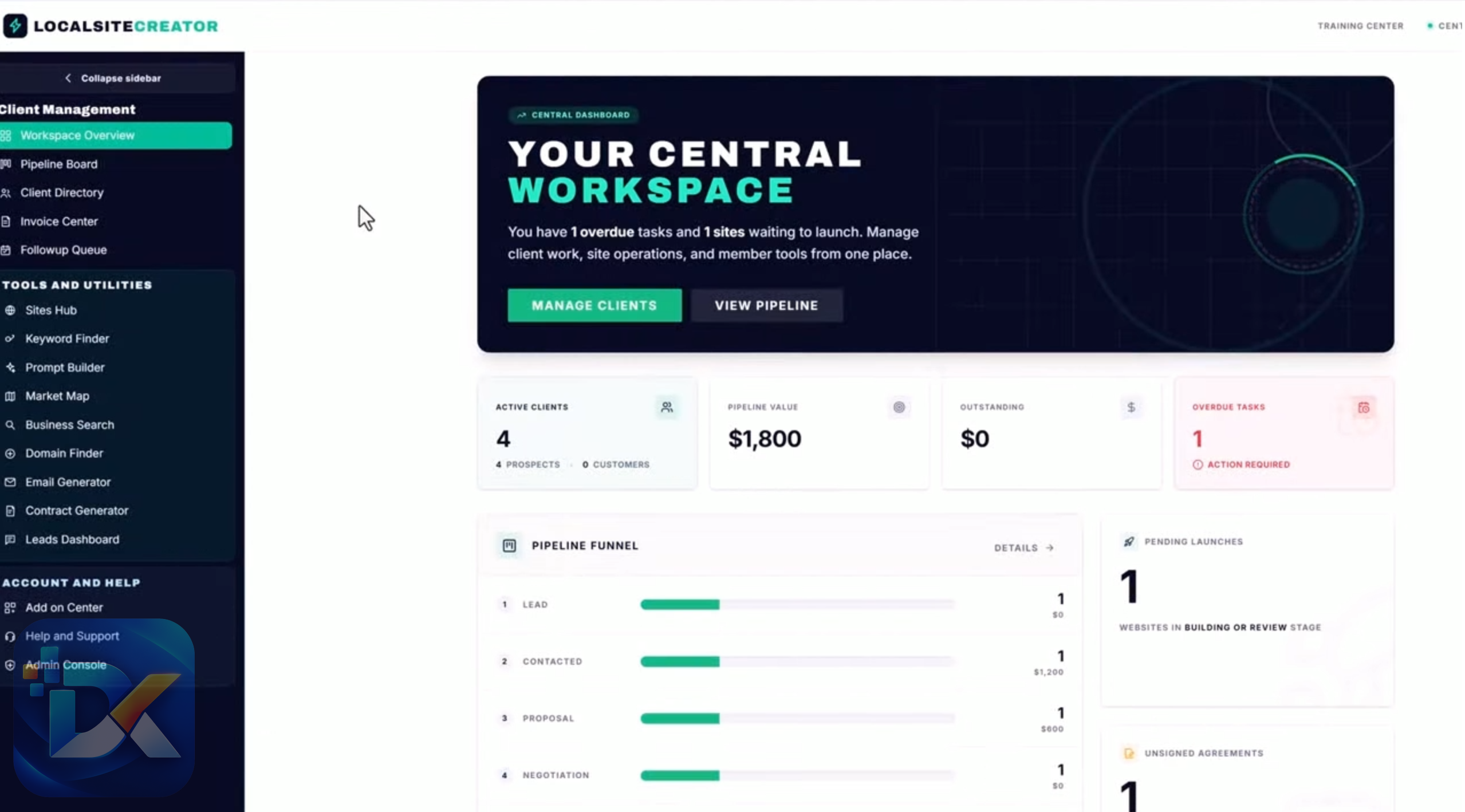
Before anything else, you need three things:
- Your Local Site Creator login
- A Replit account with a paid subscription (plans start at around $20 per month)
- An OpenAI API key for generating images, with billing set up on your OpenAI account
This step is non-negotiable. The $7 doesn’t cover Replit or OpenAI usage. Budget for both from the start.
Step 2: Watch The Training
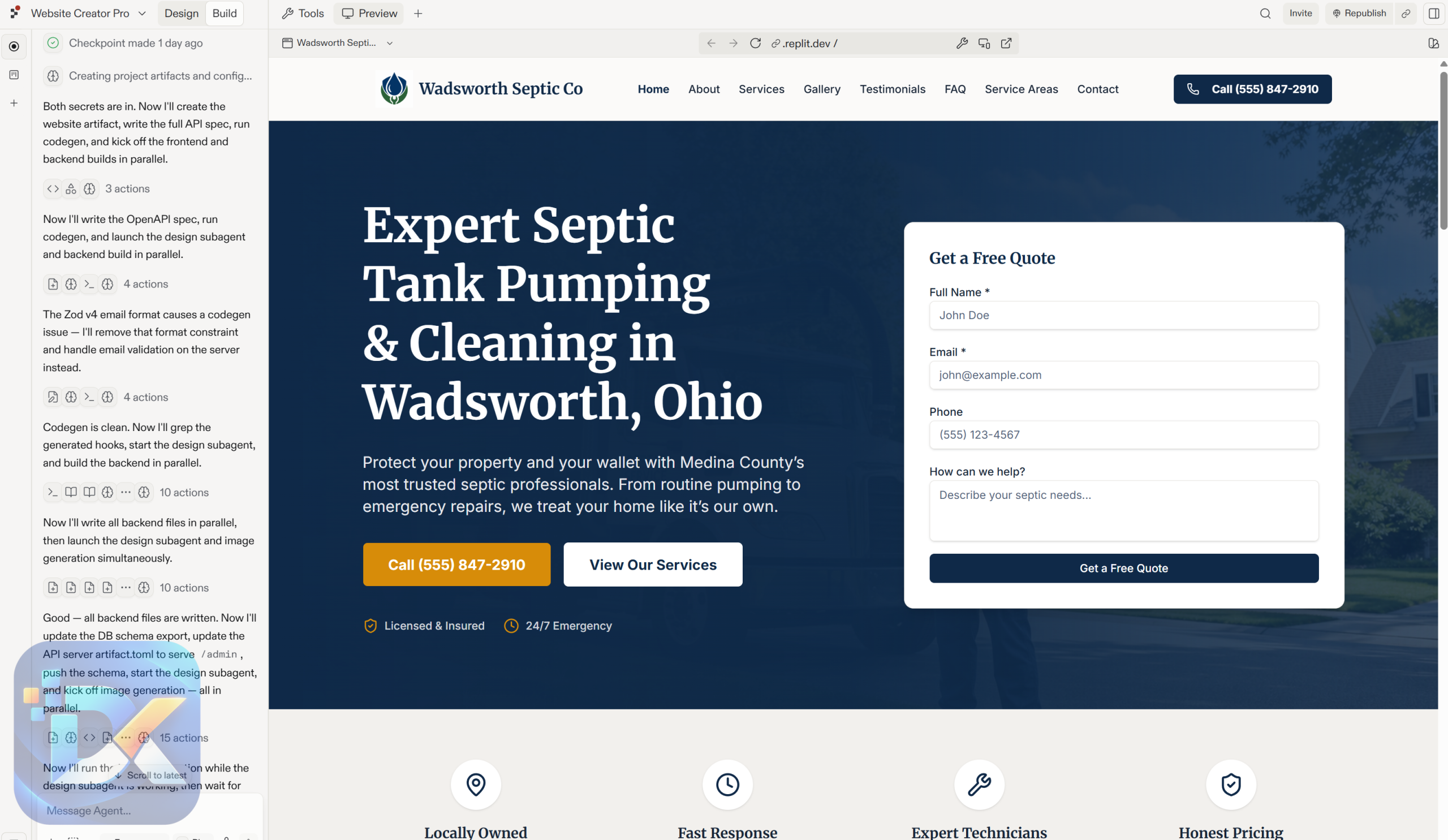
Go through the modules in order. Learn the Replit basics first. It’ll save you time and frustration later.
Step 3: Fill Out The Local Prompt Builder
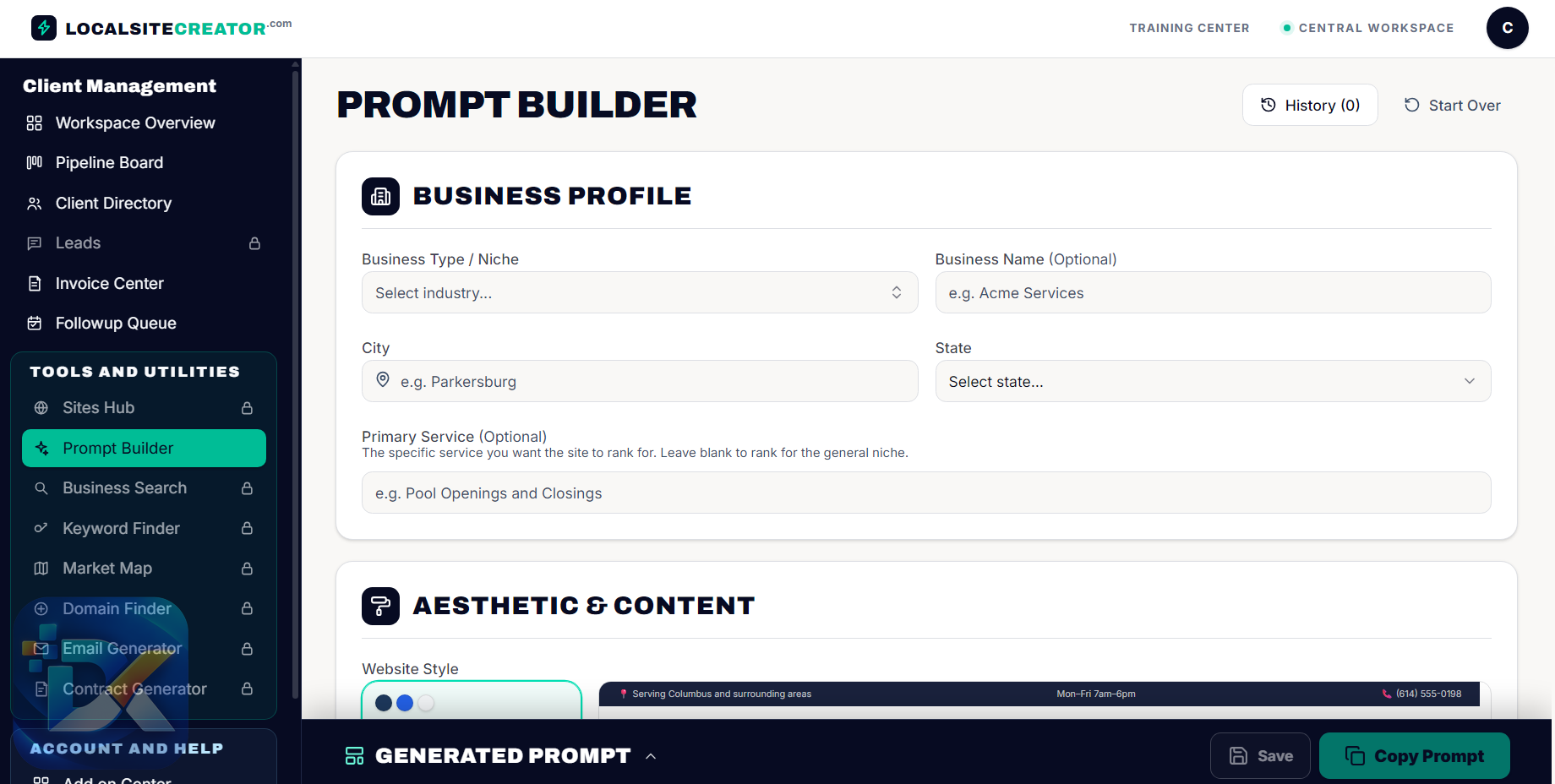
Pick your niche and enter the business details. Say you’re building for a fictional electrician in Canton, Ohio. You select the business type, name it, set the city, choose a modern look, tick the pages, add local landmarks for SEO, select services, and plug in your API key for images.
Step 4: Copy The Prompt Into Replit
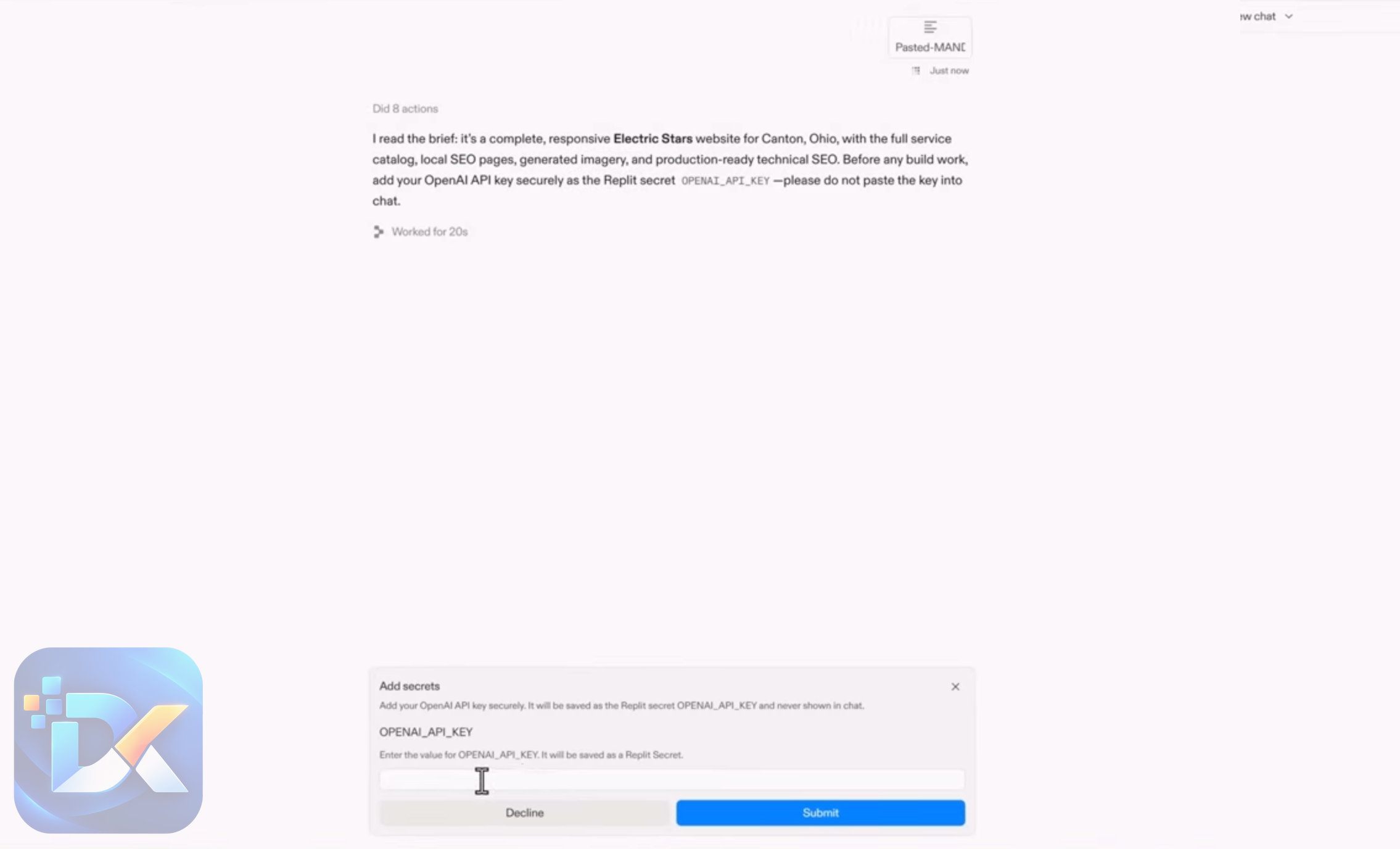
Save the prompt. Copy it. Open Replit, paste it into the build box, and click go. Replit will ask for your OpenAI API key so it can create the images. Then it gets to work.
Step 5: Review And Publish
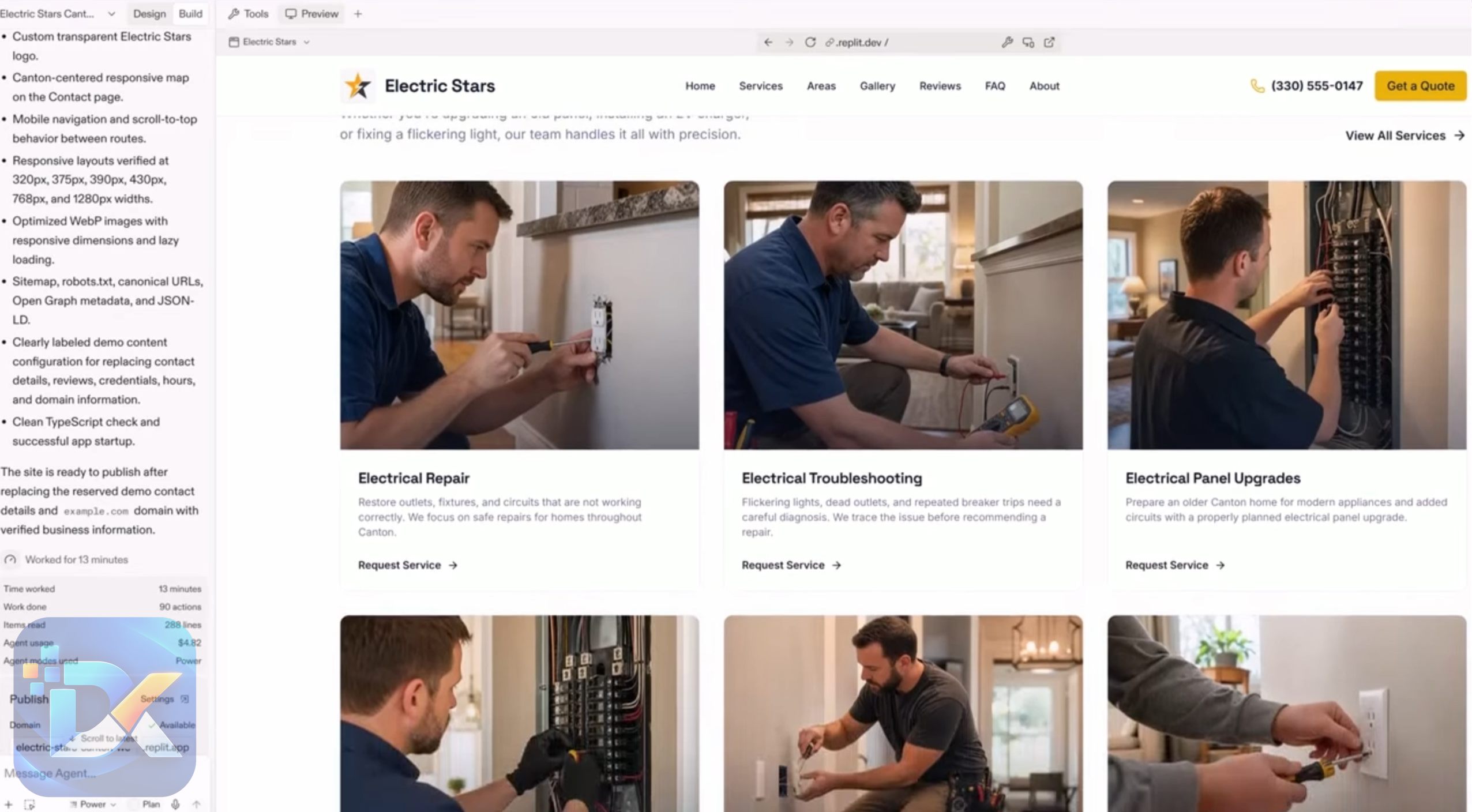
Once Replit finishes, check the site. Read the copy. Look at the images. Verify phone numbers, addresses, and service areas. Then publish. And remember, you can always return to Replit later and ask for changes in plain language, like “add a page for panel upgrades” or “change the main color to navy.”
Step 6: Manage The Client Side
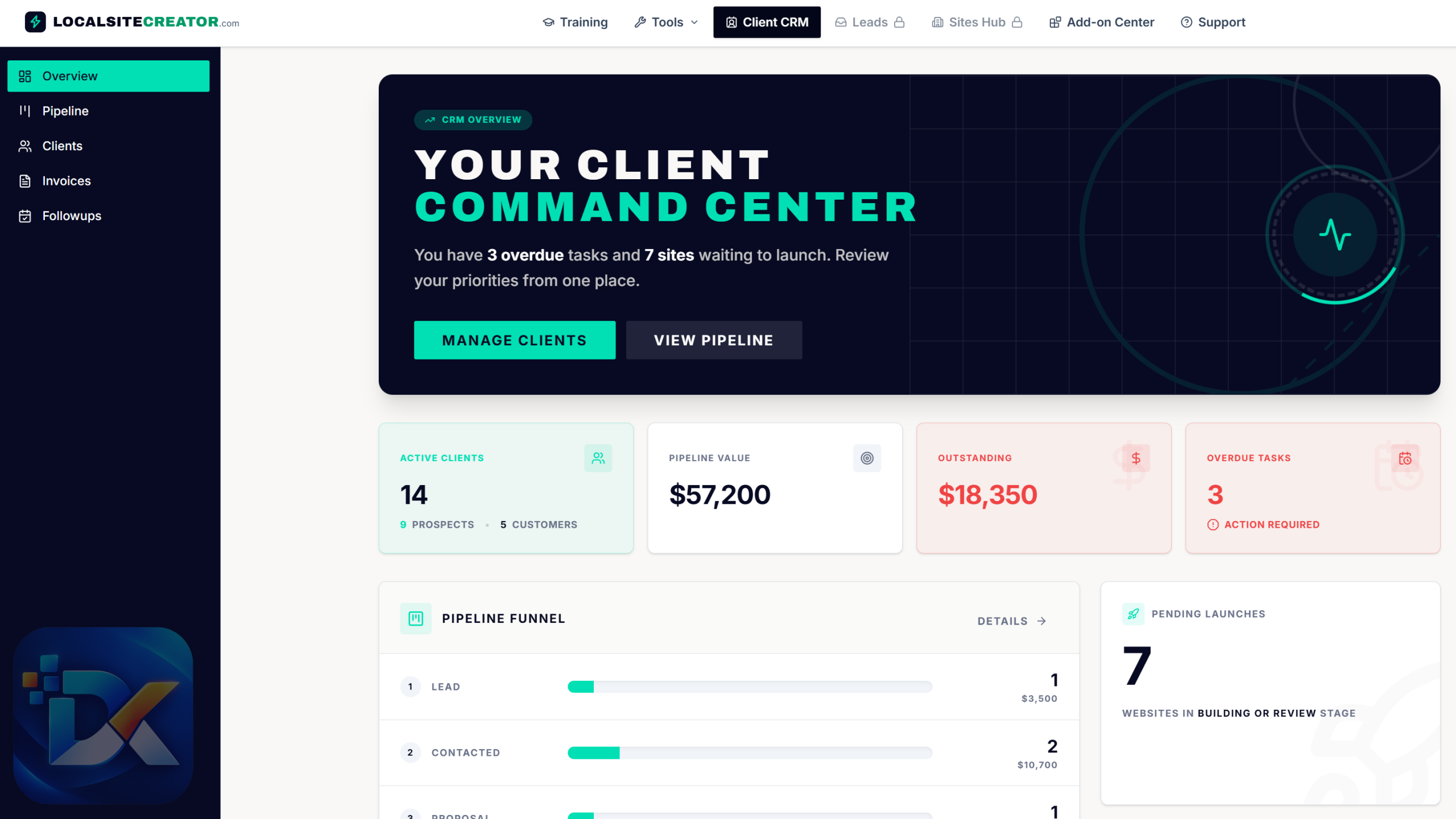
Add the client to your dashboard. Track the deal in the Pipeline Board, log follow-ups, and create invoices in the Invoice Center.
Ways To Turn Sites Into Income
The vendor lays out a few business models. Here they are, with zero promises attached:
- Build sites for clients and charge per project
- Charge for ongoing management and updates
- Rank and rent sites, keeping ownership and charging a local business a monthly fee
- Lead generation, building service-and-city sites to capture calls and inquiries
- Pay-per-call setups through call networks
- Your own portfolio of local sites
Each of these takes real work. You still need to find clients, sell, and deliver. The software helps with the building and organizing. It won’t make sales calls for you.
Curious about how it works? Watch the demo video below for an in-depth overview:

Who Is The Audience For This?
Local Site Creator fits a fairly wide crowd, but it’s built for people who want to sell or use local websites, not just tinker.
Freelancers who want to offer website services to local businesses without coding
Beginners who want a guided path into web services, since no previous design experience is required
Small agencies that need a repeatable process for many clients
Local SEO marketers who build service-and-city pages
Rank-and-rent marketers who want to own sites and lease them
Lead generation folks who sell calls or leads to local providers
Local business owners who want to build their own site and skip the agency bill
WordPress users who are tired of plugins, updates, and security patches
It works across many niches, too. Roofing, plumbing, landscaping, appliance repair, legal services, HVAC, cleaning, and more.
Who should skip it? Anyone who wants a totally free setup. Between Replit and OpenAI, there are ongoing costs. Also, if you expect a magic button that brings in clients and rankings on autopilot, this isn’t that. And if you need deep custom web apps, you’ll need more than a local-site workflow.
Why Local Site Creator Is Worth Your Attention?
Let me put it this way. I’ve built plenty of local sites the old way. Buy hosting. Install WordPress. Pick a theme. Fight with a page builder. Install SEO plugins. Write copy for every service page. Hunt for stock photos. Then do it all again for the next client. It’s slow, and honestly, it’s boring.
So when I sat down with Local Site Creator, the first thing that hit me was how much thinking it does for you up front.
The Prompt Builder Feels Like A Senior Planner Sitting Next To You
I picked a trade niche, typed in a business name and a city, and started clicking. Services. Pages. Style. Local landmarks. Calls to action. Each choice felt small. But when I scrolled to the bottom, I had a massive, organized prompt that covered things I’d normally forget at 11 p.m. on a deadline. Service-area targeting. FAQ sections. Trust elements. Image direction.
That’s the real value here. It isn’t about AI writing code. Replit can already do that. It’s about giving Replit the right brief. And writing a brief that good by hand takes me a long time.
Replit Removes The Busywork
Pasting that prompt into Replit and watching it build page after page felt a little unreal. No theme. No plugin conflicts. No “please update 14 plugins” warning. Just a site taking shape. And when I wanted a tweak, I asked for it in plain English. That’s a very different feeling from digging through a page builder’s settings panel.
The CRM Is Small, But It’s Right There
I’ll be straight. The Client Manager won’t replace a big CRM for a large agency. But for a solo builder, having the pipeline, invoices, and follow-ups in the same login as my prompts is genuinely handy. I don’t need to jump between three apps to remember who’s waiting on a proposal.
The Price Makes The Experiment Easy
Seven dollars. That’s the cost of a sandwich. Even after adding Replit and some API usage, the entry cost to test a local website service is low. If it clicks for you, great. If not, you haven’t burned a big budget finding out.
It Respects Your Intelligence
This might sound odd, but I liked that it doesn’t oversell SEO. The training says plainly that schema and clean structure help, but rankings depend on competition, authority, and Google’s judgment. That kind of honesty is rare in this space. It made me trust the rest of the material more.
Bottom line? If you’ve ever wanted to offer local websites but felt held back by the tech, this gives you a clear, repeatable path. And it does it for less than most people spend on coffee in a week.
Local Site Creator Pricing
The Local Site Creator price is simple on the front end.
| Option | Price | What You Get |
|---|---|---|
| Front End | $7 one-time | Full video training, Local Prompt Builder, Client Management Dashboard |
| Listed regular price | $97 | Same front end, after the launch special |
The $7 is an early-bird launch price. The sales page shows a crossed-out $97, and the price is expected to rise after launch. I can’t say exactly when, so if you want in, sooner is safer.
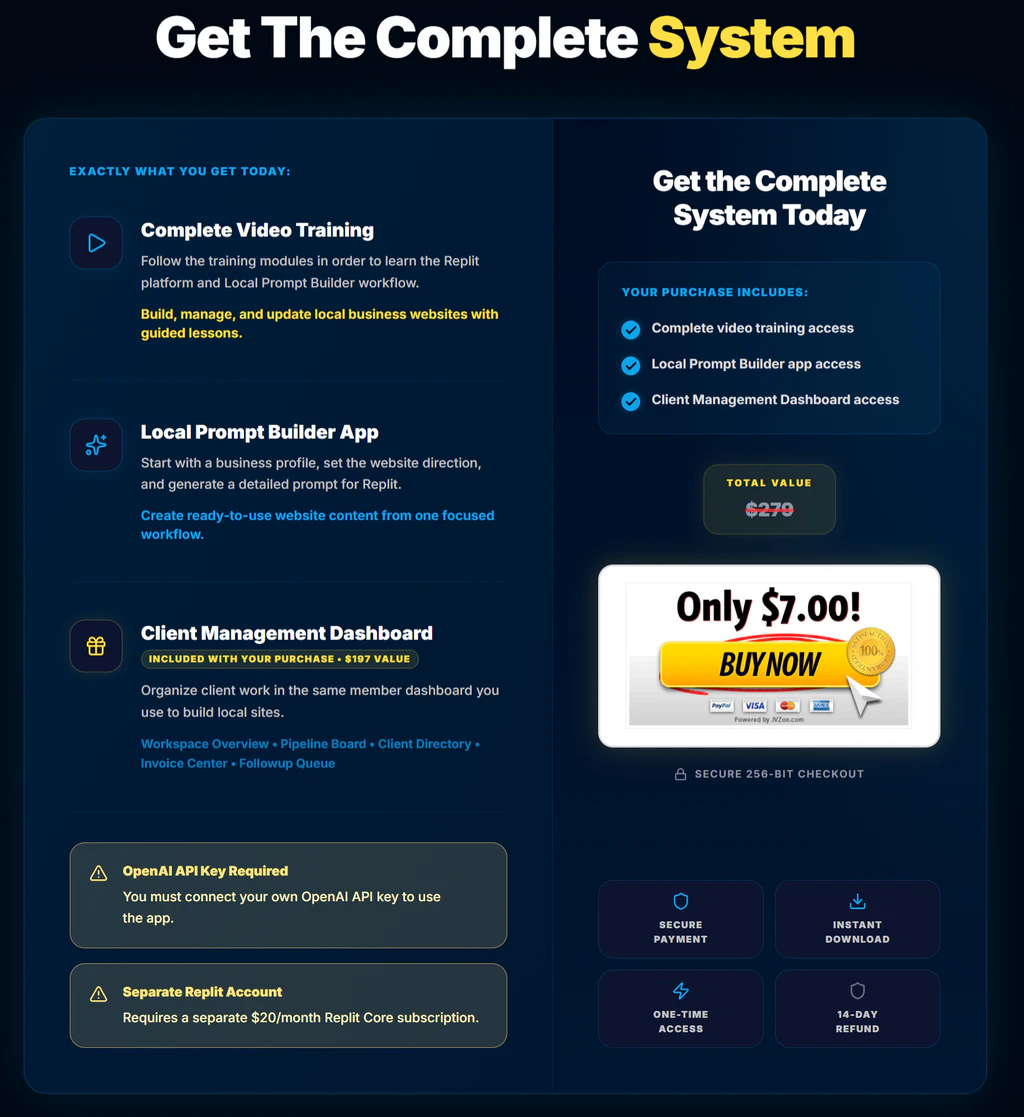
Now, the honest part. The true cost is more than $7. Here’s what to budget:
| Cost Item | Type | Notes |
|---|---|---|
| Local Site Creator front end | One-time | $7 at launch |
| Replit subscription | Monthly | Paid plan required, starting at around $20/month |
| OpenAI API usage | Pay as you go | Mainly for AI images; cost depends on usage |
| Domain names | Yearly | Per site, if you use custom domains |
| Optional OTOs | One-time | $29 to $79 each, or $297 for the bundle |
The vendor claims some of his sites cost under $5 in AI usage to build. Treat that as an example, not a promise. Big revisions and lots of images can push your costs up.
The OTO Details
There are eight optional upgrades. Each one targets a specific part of a local web business. None of them is required to use the core system. Here’s the full Local Site Creator OTO breakdown.
| OTO | Name | Price | Main Job |
|---|---|---|---|
| OTO 1 | GMB Miner | $69 one-time | Find and export local business prospects from Google Maps |
| OTO 2 | Keyword Finder | $29 one-time | Find buyer-intent local keywords and check competition |
| OTO 3 | Market Map | $79 one-time | Find nearby cities by population and distance |
| OTO 4 | Domain Finder | $29 one-time | Generate local domain ideas and check availability |
| OTO 5 | Email Generator | $39 one-time | Create niche outreach email sequences |
| OTO 6 | Contract Generator | $49 one-time | Create rental or sale agreements with e-signing |
| OTO 7 | Leads Manager | $79 one-time | Collect form leads from all sites in one inbox |
| OTO 8 | Sites Hub | $69 one-time | Monitor uptime, rankings, and portfolio status |
OTO 1: GMB Miner ($69)
GMB Miner collects visible Google Maps listings and organizes them into prospect lists. You can filter opportunities, export lists, and send selected businesses straight into Client Management. If you plan to cold-pitch local businesses that lack a good website, this one saves a lot of manual searching.
OTO 2: Keyword Finder ($29)
Keyword Finder uncovers buyer-intent local service keywords and checks competition before you build a page. It’s useful for rank-and-rent and lead-gen folks who want to pick winnable terms first.
OTO 3: Market Map ($79)
Market Map finds nearby cities using population and distance data. So if your electrician site covers one city, this helps you spot the surrounding towns worth targeting next.
OTO 4: Domain Finder ($29)
Domain Finder generates local service domain ideas and checks if they’re available. Small tool, but handy when you’re launching many sites across niches and towns.
OTO 5: Email Generator ($39)
Email Generator writes niche-specific outreach sequences for site rentals, site sales, and audit campaigns. If writing cold emails makes you freeze, this gives you a starting point.
OTO 6: Contract Generator ($49)
Contract Generator creates website rental or purchase agreements and sends them through an electronic signing workflow, with completion tracking. You enter details like the business name, monthly rental amount, payment terms, and start date. It’s a natural fit for rank-and-rent. As always, have a local professional check any contract you rely on.
OTO 7: Leads Manager ($79)
Leads Manager pulls contact form submissions from all your sites into one searchable inbox, with notifications and CSV export. Once you run more than a handful of sites, checking each one separately gets old fast.
OTO 8: Sites Hub ($69)
Sites Hub is a central place to monitor uptime, review rankings, manage site status, and track portfolio details. It becomes more valuable as your site count grows.
Which OTOs Actually Matter?
Here’s my take. If you’re just testing the waters, skip them all and learn the core workflow first. If you’re going after clients, GMB Miner and Email Generator help most with prospecting. If you’re into rank-and-rent, Keyword Finder, Market Map, Contract Generator, and Leads Manager form a tight set. And Sites Hub only makes sense once you have a real portfolio.
The Bundle Offer
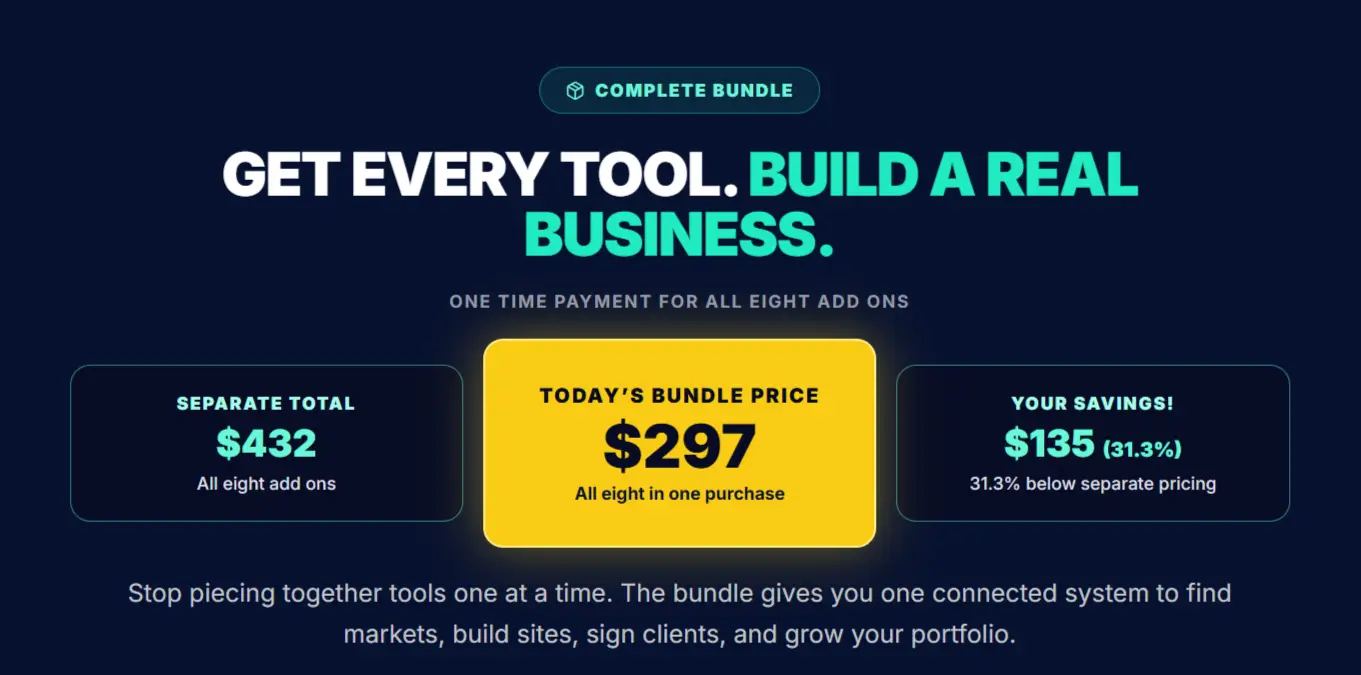
If you already know you want the full toolkit, the Local Site Creator Bundle is the cleaner route. It packs all eight add-ons into one purchase for $297 one-time.
What’s inside:
- GMB Miner
- Keyword Finder
- Market Map
- Domain Finder
- Email Generator
- Contract Generator
- Leads Manager
- Sites Hub
Now let’s do the math. Buying all eight OTOs one by one at their listed prices adds up to $442. The bundle costs $297. That’s a saving of about $145, or roughly a third off.
| Option | Total Cost |
|---|---|
| All 8 OTOs bought separately | $442 |
| Local Site Creator Bundle | $297 |
| Savings | About $145 |
Note that the bundle covers the add-ons. You still buy the $7 front end for the core training, Prompt Builder, and dashboard.
So, is the bundle worth it? If you plan to run a real local site business, especially rank-and-rent or lead generation, then yes, it’s the better value. You get prospecting, research, outreach, contracts, lead handling, and monitoring in one go. But if you’re still figuring out whether local sites are for you, start with the front end. You can grab the add-ons later when you know what you actually need.

Pros And Cons
No product is perfect. Here’s the balanced view.
Pros
- Very low entry price at $7 one-time during launch
- Local Prompt Builder produces long, detailed, structured prompts that lead to better sites
- Multi-page sites built around real services, cities, and local SEO basics
- No WordPress, plugins, themes, or cPanel to babysit
- Beginner-friendly training with no previous design or coding experience needed
- Built-in CRM with pipeline, invoices, directory, and follow-ups
- Works across many niches, from trades to legal services
- Easy updates by asking Replit for changes in plain language
- Honest about SEO, with no ranking guarantees
- Optional add-ons let you grow at your own pace
- Bundle saves roughly a third versus buying OTOs separately
Cons
- Replit subscription required, starting around $20/month
- OpenAI API key required, with pay-as-you-go costs
- Doesn’t build the site itself; Replit does the coding and publishing
- Some builder options, like lead capture and multi-service subpages, are add-ons
- No ranking or income guarantees; results depend on your effort and market
- The CRM is basic compared with dedicated agency tools
- You still need to review each site for accuracy before publishing
- Eight upsells can feel like a lot if you’re not ready for them
- Refunds aren’t automatic; a simple change of mind may not qualify
Is Local Site Creator Legit?
Yes, Local Site Creator is legit. Let me explain why I’m comfortable saying that.
First, the creator has a long public track record. Chris Derenberger has released many products over the years, from YouTube marketing courses to AI software tools, and he’s still active.
Second, it’s sold through JVZoo, a well-known marketplace for digital products. That gives you a standard checkout and a purchase record.
Third, the product is upfront about its limits. It openly says Replit is a separate paid platform, that you need your own OpenAI API key, and that there’s no ranking guarantee. It even includes disclaimers that no income or success is guaranteed. Shady products tend to hide those details. This one puts them right on the page.
Fourth, there are live sample sites you can visit and judge yourself.
Now, about refunds. There’s a 14-day refund policy. Requests are reviewed case by case, based on the reason and whether you’ve accessed or used the digital materials. A change of mind, or deciding the product isn’t a fit, doesn’t by itself qualify. So don’t buy it assuming you can test everything and get your money back no questions asked. Read the refund terms before you buy.
Legit doesn’t mean effortless, though. The tools are real. The workflow is real. But clients, rankings, and income still depend on you.
Final Verdict
So, is Local Site Creator worth it?
For $7, I think it’s an easy yes for most people who are serious about local websites. The Local Prompt Builder is the real gem. It turns a messy pile of business details into a detailed brief that Replit can actually use. Pair that with clear Replit training and a light CRM, and you have a practical system for building and managing local sites without touching WordPress.
But go in with clear eyes. This is a planning, training, and client management system. Replit builds the site. You’ll pay for a Replit subscription and OpenAI usage on top of the $7. And nobody can promise you rankings or clients.
If you’re a freelancer, a small agency, a rank-and-rent marketer, or a beginner who wants a guided way into local web services, grab the front end while it’s at the launch price. Learn the workflow. Build a site or two. Then decide on the add-ons. And if you already know you’ll go all in, the $297 bundle is the smarter buy than picking up the OTOs one by one.
In short, Local Site Creator won’t do the business for you. But it makes the hardest part, building good local sites fast, a whole lot simpler.
Frequently Asked Questions
What is Local Site Creator?
It’s a training and website-planning system that helps you create multi-page local business websites with AI. It builds detailed prompts for Replit and includes a basic client management dashboard.
Does Local Site Creator build the website itself?
No. It prepares the website plan and a detailed prompt. Replit, a separate AI platform, handles the coding, editing, and publishing.
How much does Local Site Creator cost?
The front end is $7 one-time during the launch. The listed regular price is $97, and the price is expected to go up.
Are there extra costs?
Yes. You need a paid Replit subscription, starting at around $20 per month, and your own OpenAI API key, which is billed by usage. Domains cost extra too.
Is there a Local Site Creator coupon?
I haven’t seen an official front-end coupon code. The $7 launch price is already a deep discount from the listed $97.
How long does it take to build a site?
The vendor claims about 15 minutes per site. In the demo, one site took 13 minutes. Your results will depend on your plan, prompt, and revisions.
Do I need coding or web design experience?
No. The training walks beginners through the process step by step.
Is WordPress required?
No. The workflow runs through Replit, so you don’t need WordPress, themes, page builders, or cPanel.
What niches does it work for?
Most service-based local businesses. Think roofing, plumbing, electricians, landscaping, appliance repair, legal services, and more.
Will my sites rank on Google?
There’s no guarantee. The sites are built with a solid local SEO foundation, but rankings depend on competition, authority, site quality, and Google’s evaluation.
Can I sell or rent the websites?
Yes. You can build sites for clients, charge for management, or keep ownership and rent sites to local businesses for a monthly fee.
Can I update sites after publishing?
Yes. Go back to Replit and ask for changes in plain language, like new pages, updated content, or design tweaks.
Are the OTOs required?
No. The $7 front end includes the full training, Local Prompt Builder, and Client Management Dashboard. The add-ons are optional.
What’s in the Local Site Creator bundle?
All eight add-ons: GMB Miner, Keyword Finder, Market Map, Domain Finder, Email Generator, Contract Generator, Leads Manager, and Sites Hub, for $297 one-time.
What is the refund policy?
You can submit a refund request within 14 days of purchase. Each request is reviewed case by case, and a simple change of mind doesn’t automatically qualify.
Where can I buy Local Site Creator?
It’s sold through JVZoo via the official sales page at localsitecreator.com.
Local Site Creator is a training and website-planning system by Chris Derenberger. You fill in local business details, and its Local Prompt Builder turns them into a long Replit prompt that builds a multi-page site. Front end is $7 one-time; you still need a paid Replit plan and your own OpenAI API key. There are eight OTOs and a $297 add-on bundle.
Product Brand:
Chris Derenberger
Product Currency:
USD
Product Price:
7
Product In-Stock:
InStock Local Site Creator Review | Is The $7 Launch Deal Good?

4.4




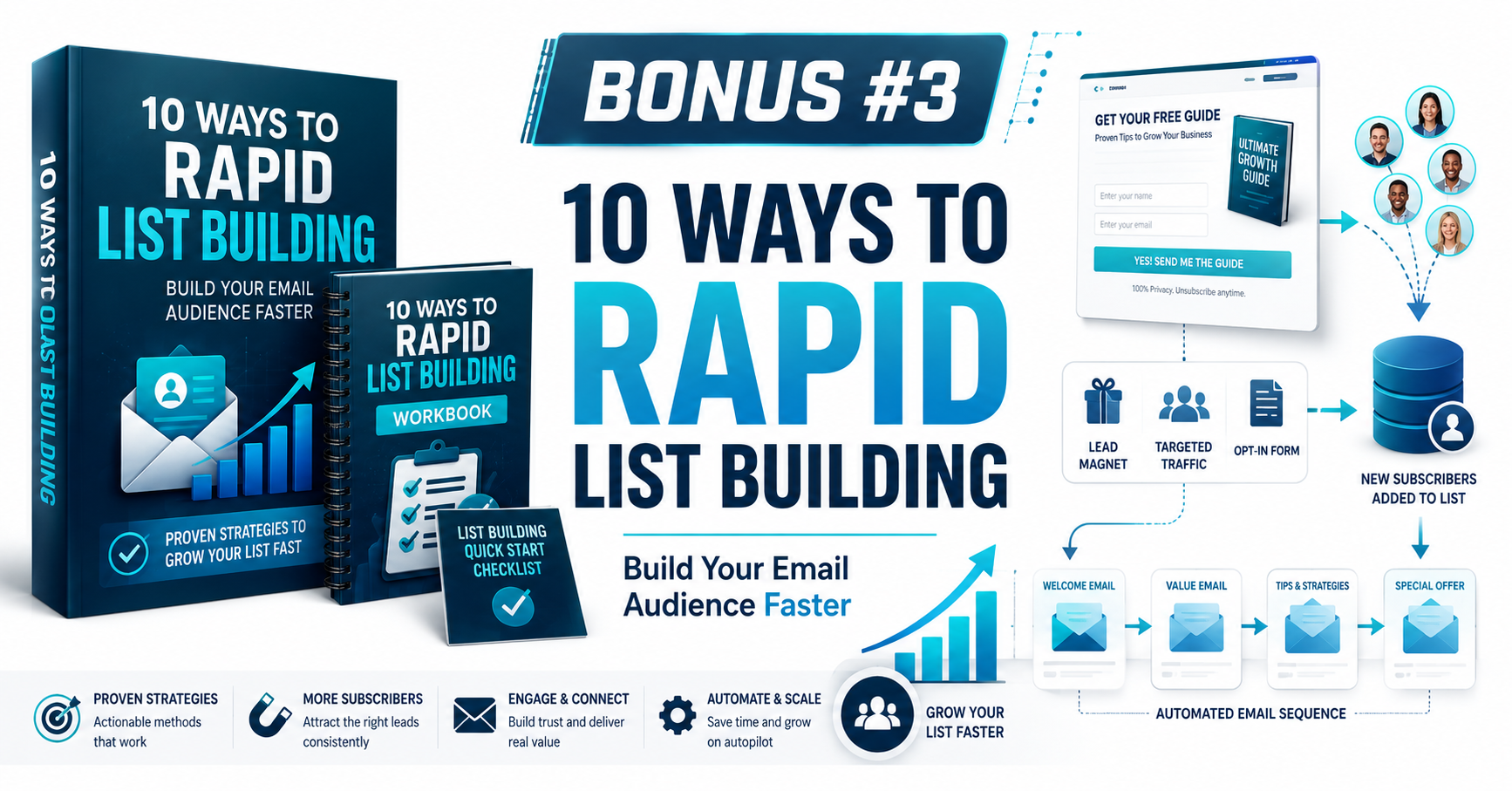
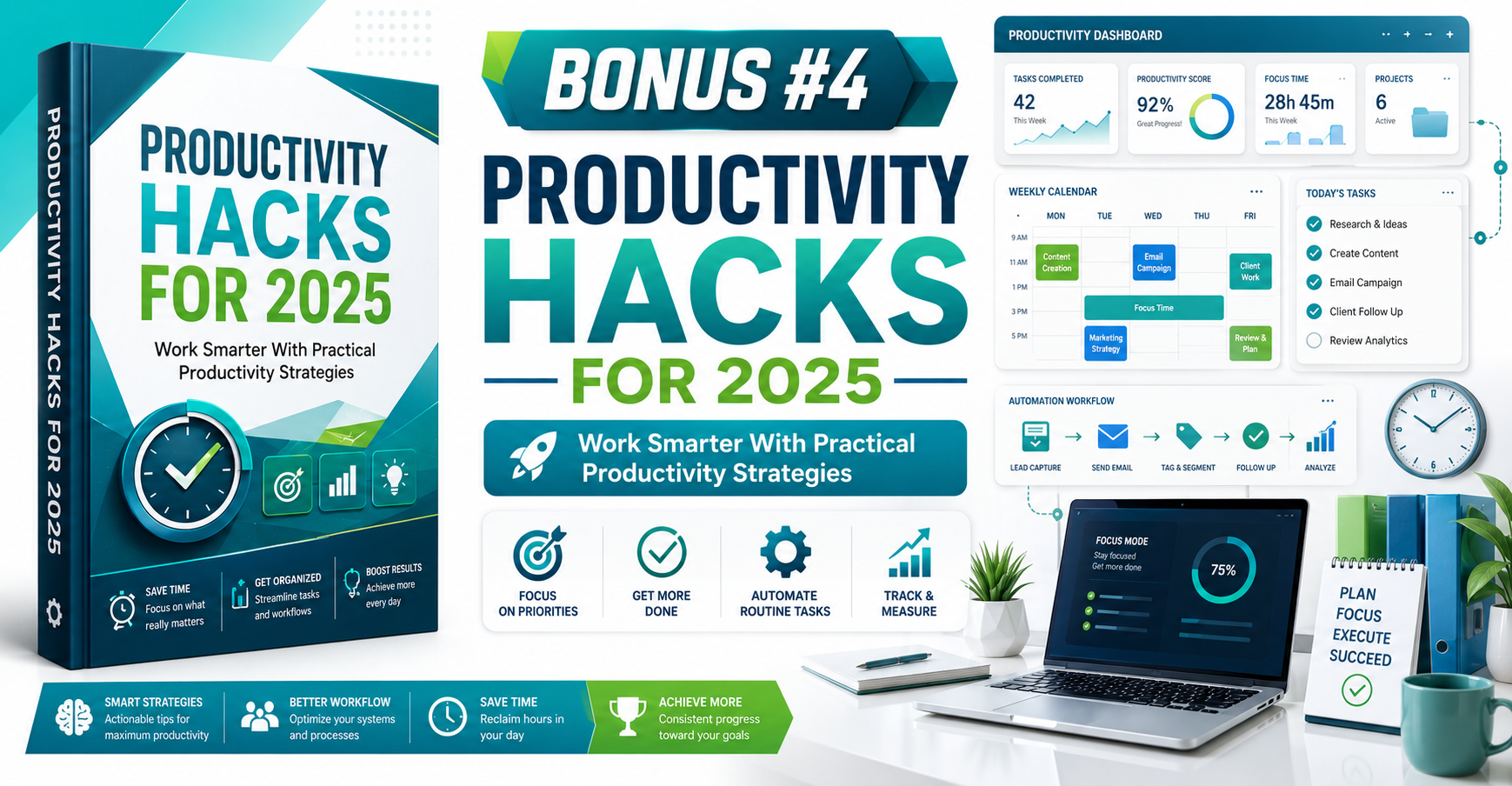



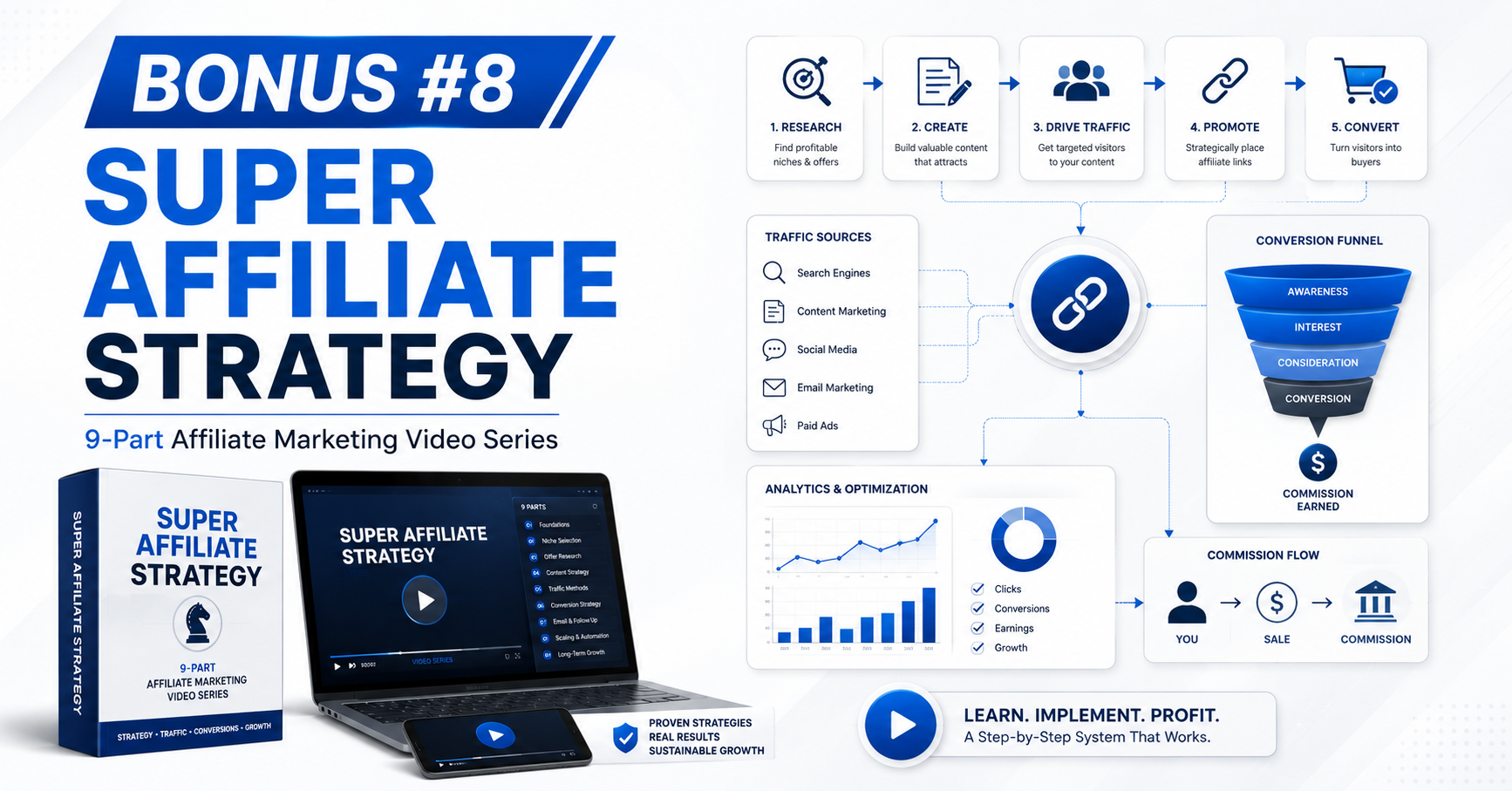




***3 STEPS TO CLAIM THIS BONUSES***
Step 1: Purchase Local Site Creator through my Local Site Creator Review page.
Step 2: Complete your order successfully using my affiliate link.
Step 3: That’s it! Your exclusive bonuses will be automatically delivered to you after your purchase is successfully completed.
No need to send your receipt or contact support. Simply complete your order and get instant access to your bonuses.